Contact bemy.fans Support
The bemy.fans team reads everything members send. Write to them from the app and the answer comes back in the same conversation.
Write to bemy.fans
You can start from:
- Messages: the pinned bemy.fans Support row at the top of your chats.
- Help: 💬 Ask a question or 🐞 Report a bug at the bottom of any help page.
- Settings: 💬 Contact support at the top. On phones it's also in More.
Then:
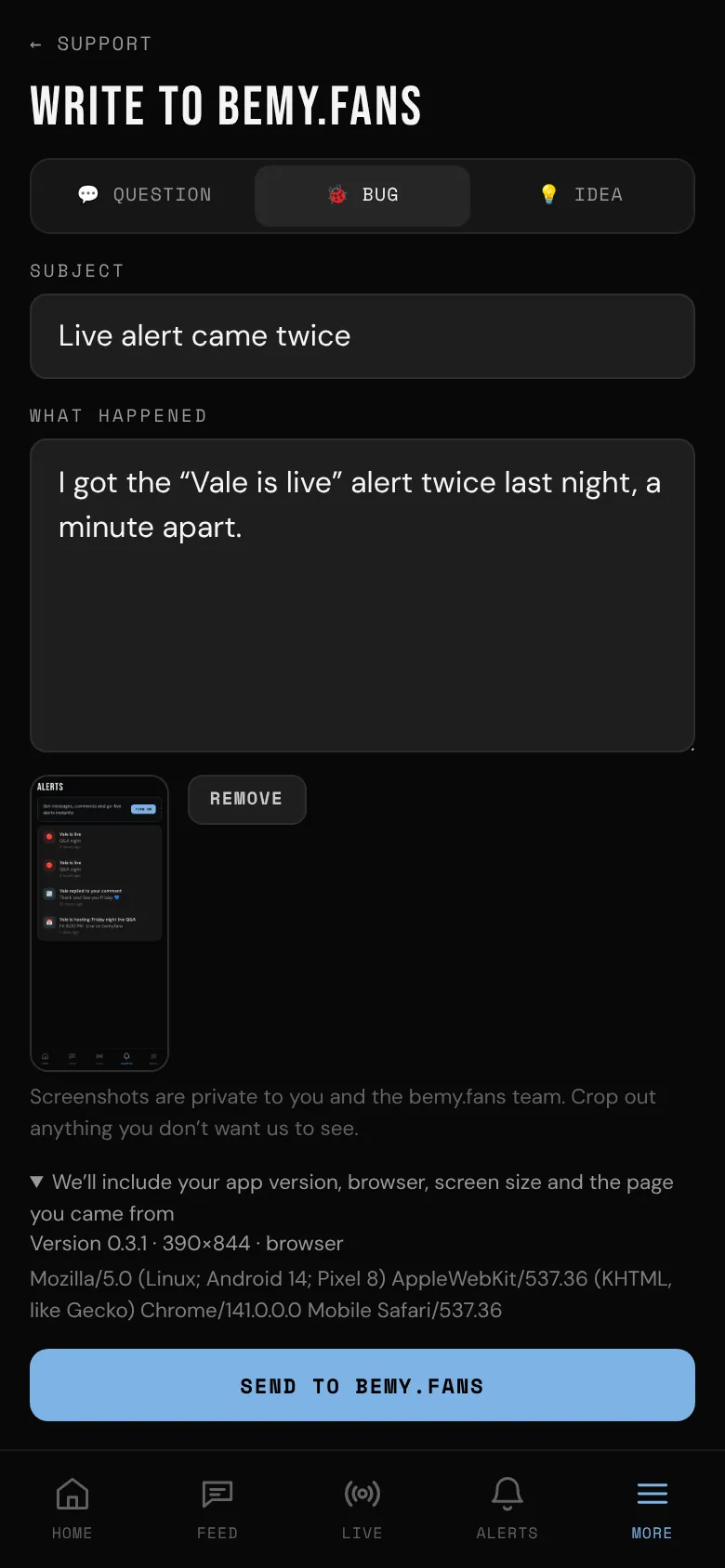
- Pick 💬 Question, 🐞 Bug or 💡 Idea.
- Add a short Subject and tell them what's going on. For a bug, say what you did, what happened and what you expected.
- Tap 📎 Add a screenshot (optional) if it helps. Crop out anything you don't want the team to see.
- Tap Send to bemy.fans.
A bug report also includes your app version, browser, screen size and the page you came from, so the team can try it the same way. Tap We’ll include your app version, browser, screen size and the page you came from to see exactly what's sent.
Answers
You get a notification when bemy.fans Support replies, and the bemy.fans Support row in Messages shows the new answer. Open the conversation to read it and reply. You can add a screenshot to a reply too.
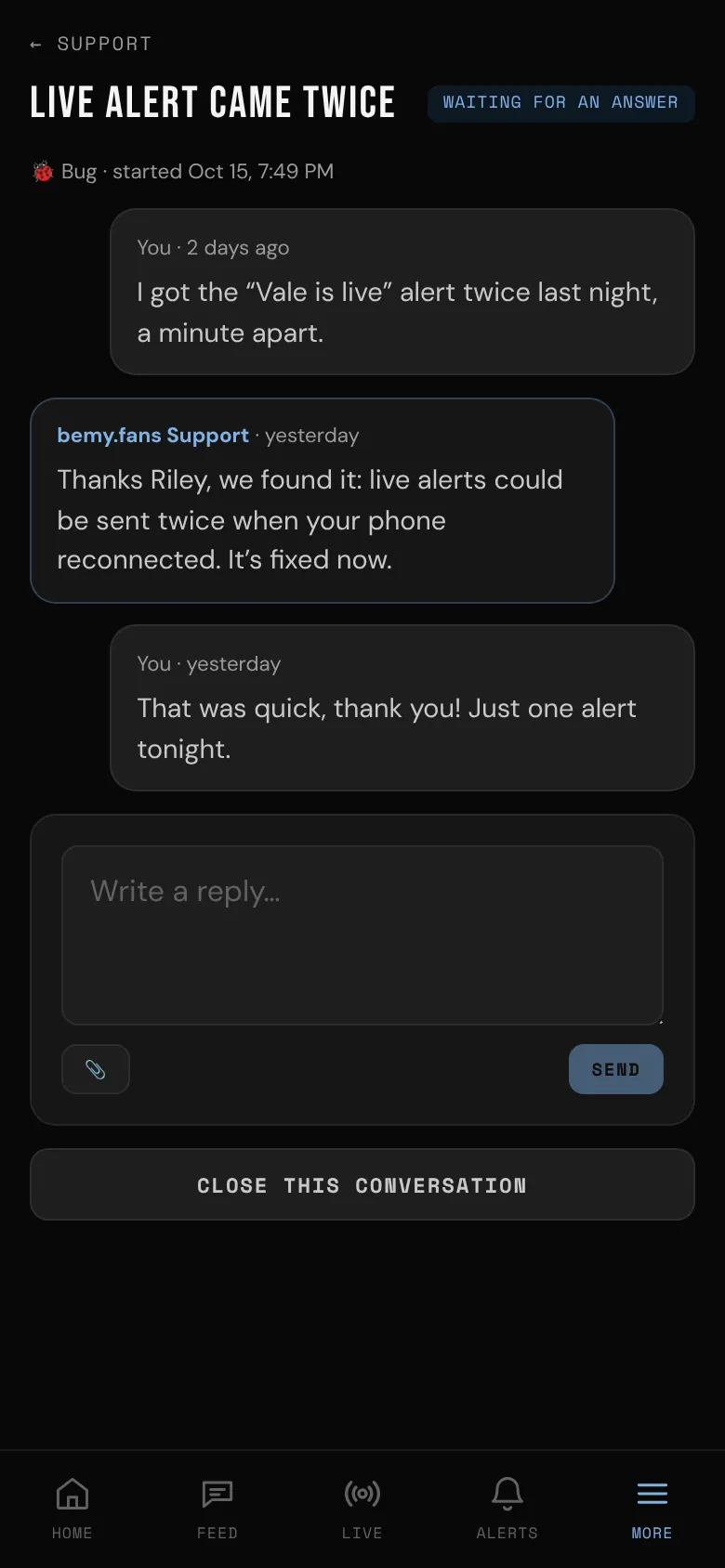
Each conversation shows where it stands: Waiting for an answer, Answered or Closed. Tap Close this conversation when you're done. Writing again opens it back up. You can have up to 10 open conversations at once.
Who sees what you send
Only you and bemy.fans admins. Answers always come from bemy.fans Support. Screenshots are kept privately and deleted 90 days after a conversation is closed. Deleting your account deletes your conversations and screenshots.