Verify your ID
ID verification confirms you're an adult. You send photos of your government ID and a selfie of you holding it. It's how bemy.fans keeps video and photo sharing adults-only. Most members are verified in a few seconds by IDCheck (Beta), bemy.fans's automatic check; anything it can't confirm goes to a person.
Creators: going live needs a verified ID, so it's worth doing early.
What it unlocks
What a verified ID unlocks depends on your kind of account. On the Verify your ID page, Why verify lists what it unlocks for yours.
Creators need a verified ID to:
- go live, or come on camera in someone else's live (watching and chatting don't need it): see Go live
- record your live and post the recording: see Record your live
- post a video, recorded or uploaded: see Post a video
- turn on video in a call (you both need a verified ID; voice calls don't): see Voice and video calls
- send photos and snaps in messages, and send or watch video messages: see Photos, snaps and video messages
- leave a video message after a call nobody answered: see Voice and video calls
- start a group chat, or add people to one: see Group chats
- host events: see Host an event
- share your photos to X and Bluesky (sharing text doesn't need it): see Share to X and Bluesky
Creators also get the ✓ next to their name on their profile and posts, so fans know they're really them.
Fans need a verified ID to:
- come on camera when a creator invites you into their live (watching and chatting don't need it): see Watch a live
- turn on video in a call: see Voice and video calls
- send photos and snaps in messages, and send or watch video messages (sending one needs the creator to take video messages from fans): see Photos, snaps and video messages
Fans also get the ✓ next to their name on their profile, so creators know they're really them.
Verify right where you need it
You don't have to go looking for it. When you try something that needs a verified ID, like going live, hosting an event or turning on video in a call, Verify your ID to continue opens right there, on top of what you were doing. If everything checks out, you carry straight on: your camera check for going live appears, the event form opens, or your camera comes on in the call (the call keeps going while you verify). Tap Not now to close it.
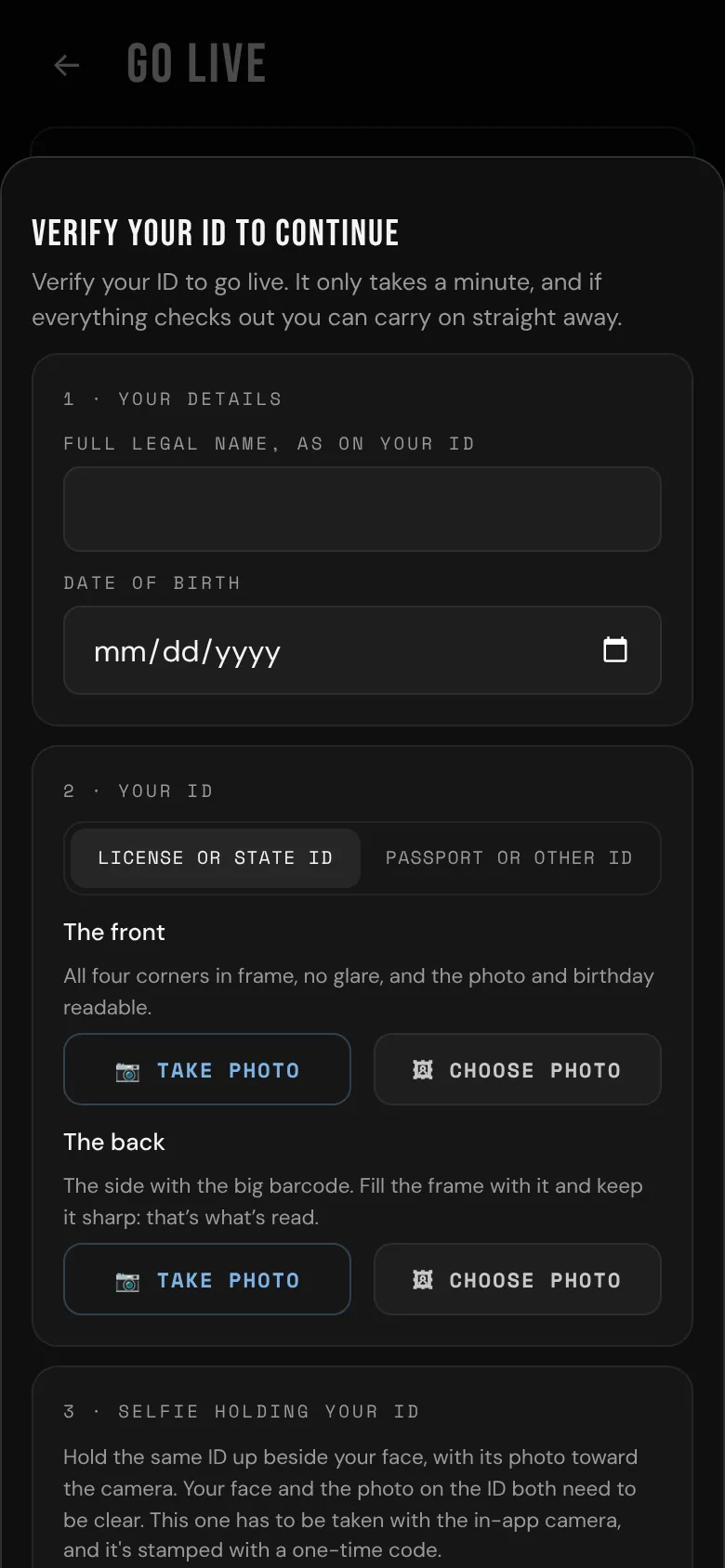
You can also verify any time from Settings: find ID verification and tap Verify.
How to verify
- Your details: type your full legal name as it's written on your ID, and your date of birth.
- Your ID: choose License or state ID or Passport or other ID, then tap 📷 Take photo for each photo. Get all four corners in the frame, in good light, without glare.
- License or state ID: a photo of the front and one of the back. The back has the big barcode, and that's what IDCheck reads, so fill the frame with it and keep it sharp.
- Passport or other ID: a photo of the page with your photo, including the two lines of letters and <<< along the bottom.
- Selfie holding your ID: tap 🤳 Take selfie and hold the same ID up beside your face, with its photo toward the camera, so your face and the photo on the ID are both clear. The selfie has to be taken with the in-app camera, and it's stamped with a one-time code.
- How it's checked: choose Check it now with IDCheck or Have a person check it (see below).
- Tap Check my ID (or Submit for review if a person is checking it).
By submitting, you confirm it's your own ID and the details are true.
IDCheck (Beta), or a person
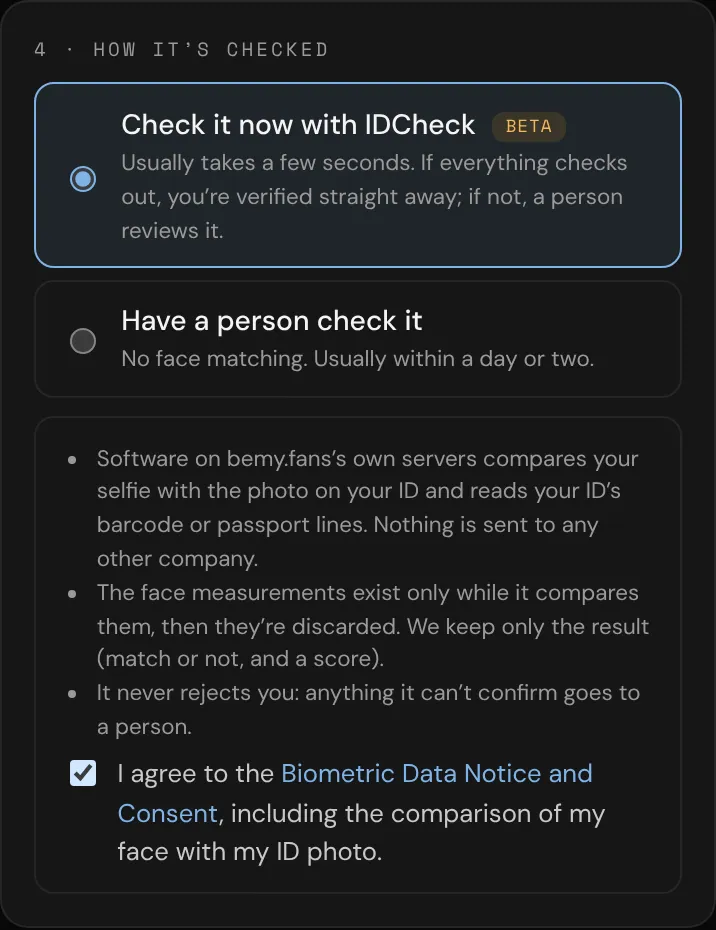
Check it now with IDCheck usually takes a few seconds. IDCheck is new, so it's marked Beta. It's software on bemy.fans's own servers that:
- reads the barcode on the back of your driver's license, or the lines on your passport, and checks that your name and date of birth match what you typed, that you're 18 or older, and that the ID hasn't expired;
- checks that the barcode is on the back of your license, and that the front shows the same date of birth and expiry date;
- compares your face in the selfie with the photo on your ID, and looks for the ID you're holding up;
- only works with photos taken in the app's camera: ID photos you pick with 🖼 Choose photo always go to a person.
Comparing faces uses biometric information, so this choice asks you to agree to the Biometric Data Notice and Consent first. Nothing is sent to any other company, and the face measurements are thrown away as soon as the comparison is done. bemy.fans keeps only the result.
Have a person check it uses no face matching at all. A bemy.fans admin looks at your ID and selfie, usually within a day or two.
After you submit
- You're verified: everything checked out. Your ✓ appears and everything above is unlocked straight away. A bemy.fans admin may still look over your ID afterwards.
- Flagged for manual review: IDCheck couldn't confirm everything, for example the barcode wasn't readable, a photo was chosen from your library, or the selfie wasn't clear enough. It never turns you down by itself: a person looks at it, usually within a day or two, and you get a notification when it's done. If you chose a person, you'll see We’re checking your ID instead. Either way, your status in Settings shows In review.
- Not approved (after a person's review): you'll see the reason, for example the ID photo was blurry or cropped, the selfie didn't clearly match the ID, or the ID looked expired. Tap Submit again (or Try again in Settings) and fix what's needed. You can submit up to 8 times a day.
Admins can double-check IDCheck's approvals afterwards. An admin can also remove a verification later, giving a reason. If that happens, you're told why, and anything you're on camera in (a live you're hosting or on stage in) ends or takes you off camera; a call carries on as voice. You can verify again.
Submitting a fake ID, or someone else's, breaks the Terms of Service: the verification is removed and the account is suspended.
If bemy.fans asks you to verify again
Sometimes bemy.fans needs to check a member's ID again, even if they're already verified. If that's you:
- You get a notification and an email: Please verify your ID to keep using bemy.fans.
- When you open bemy.fans you see Please verify your ID instead of the app. Tap Verify my ID: it's the same check as above, with IDCheck or, if you prefer, a person. An earlier verification doesn't count, so send new photos.
- If IDCheck approves it, the app comes straight back. If a person is checking it, you'll see Your ID is being checked until they're done, and you'll get a notification. When it's approved, you're told You’re verified. Thanks!
- If it isn't approved, you'll see why, and you can try again.
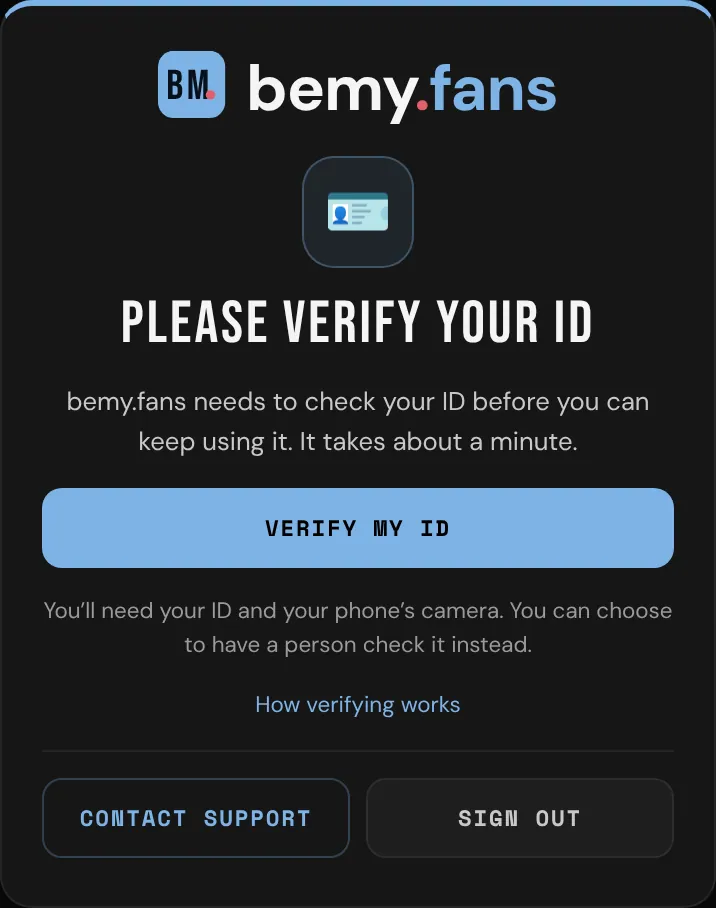
Until it's approved you can't post, comment, message, call or go live. Other members can't see your profile, posts or comments, or message or call you meanwhile. Nothing is deleted: it all comes back once you're verified.
What's on that screen:
- Verify my ID, to start the check.
- How verifying works, which opens this section.
- Contact support: write to the bemy.fans team and read their answers right there.
- Sign out.
Age checks in some US states
Some US states have laws that require sites like bemy.fans to check that their members are adults. If you haven't verified your ID and you're connecting from one of those states, you'll see Verify your age to continue instead of the app, naming your state.
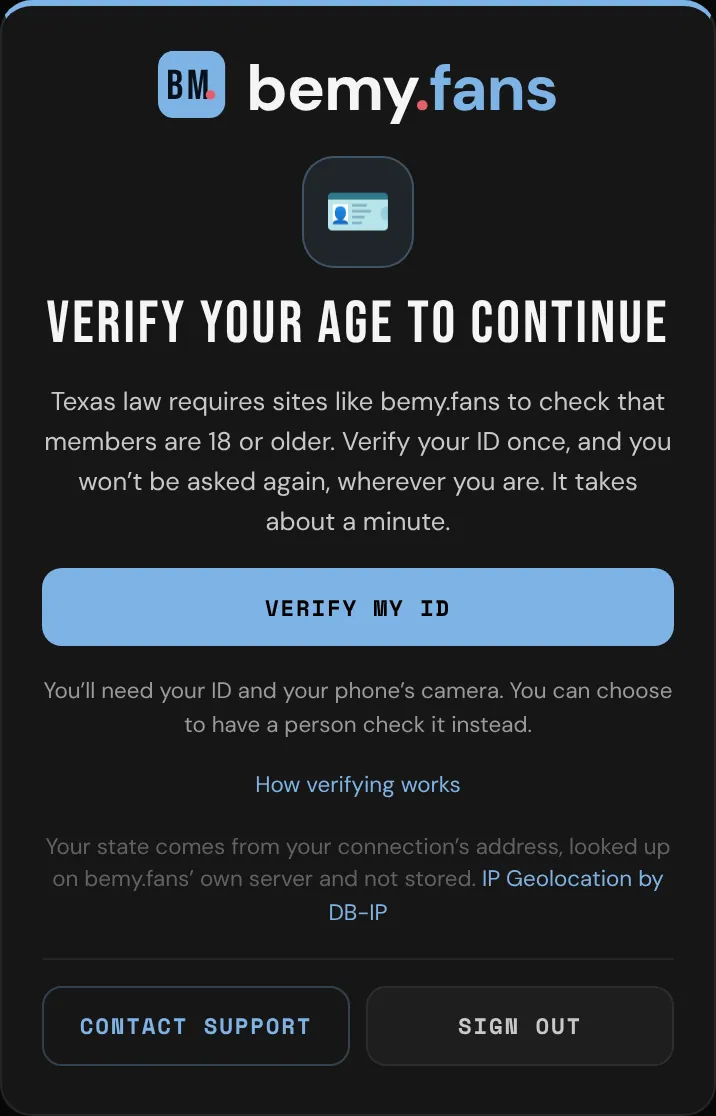
- Tap Verify my ID: it's the same check as above, with IDCheck or a person. If a person is checking it, the screen says Your ID is being checked until they're done, and you get a notification.
- Once you're verified, you're never asked again, wherever you are.
- On that screen you can still Contact support (and read the answers) or Sign out.
- Public live links don't open to guests in those states either: sign in, or join, and verify to watch.
Your state comes from your connection's address. bemy.fans looks it up on its own server, using DB-IP's location database, and doesn't keep where you were. Locations from an address are approximate: a VPN or a mobile network can show a different state.
Your privacy
- Your ID photos and selfie are encrypted. Only bemy.fans admins can open them, and every view is logged.
- Your legal name and birthday are never shown to other members.
- Location and camera details are removed from the photos.
- Face measurements are never stored, and never sold or shared. See the Biometric Data Notice and Consent.
What's kept, and for how long
- Your ID photos and selfie are deleted 30 days at most after your check is decided, whether it was approved, not approved or later removed. bemy.fans can set a shorter time; the Biometric Data Notice shows the current one.
- You keep your ✓. Only the photos go. If bemy.fans ever needs to see your ID again, it asks you to verify again (see above).
- While your check is waiting for a person, the photos are kept until it's decided.
- What IDCheck read off your ID (name, birth date, expiry date) is deleted along with the photos. The result of each check (passed or not, and the face-match score) stays as a record of how you were verified.
- Your name, date of birth and the review decision stay with your account.
- Deleting your account deletes all of it: the photos and the verification record.
Under 18
bemy.fans is only for adults. If the date of birth you enter is under 18, the verification is refused, nothing you uploaded is kept, and the account is flagged for admins to review. If the ID shows someone under 18, it's never approved, by IDCheck or by an admin: the account is flagged at once, anything that needs a verified ID is switched off, and an admin reviews it straight away. When an admin confirms the ID belongs to someone under 18, the photos are deleted and the account is suspended or deleted. An account that's been flagged is never verified automatically: a person always looks.