Voice and video calls
Calls are private and one-on-one. Nobody else can join, not even moderators, and nothing is recorded. Creators and fans can both make and take calls, but two fans can't call each other. Every call starts as voice. Video needs both of you to have a verified ID.
Who you can call
Calls follow who can message whom: fans call creators, and creators can call anyone. Two fans can't call each other, because fans message creators, not other fans.
You can call someone when your messages go straight to their chats (not to their Requests):
- someone who follows you,
- anyone who has accepted your messages or written to you.
Their message setting and blocks apply to calls too. If you follow each other (mutuals), your messages always reach each other's chats. See Private messages.
Who can call you is up to you. In Settings, under Calls, choose:
- Anyone who can message me (the default): anyone whose messages reach your chats, not your Requests.
- Only mutuals (creators): people you follow who follow you back.
- Only creators I follow (fans): creators you follow. Nobody can follow a fan, so this takes the place of mutuals for fans.
- Nobody: no calls.
When someone can't call you, they just see that you aren't taking calls right now.
- Voice calls don't need a verified ID.
- Video needs both of you to have a verified ID. See Verify your ID.
- An account flagged as possibly under 18 can't make or take calls until a person has checked its ID.
- You can't call someone who's already on a call, or start a call while you're live. You can call the same person up to 6 times an hour.
Make a call
- Open your chat with them. See Private messages.
- At the top, tap the phone for a voice call, or the camera for a video call. They only show when you can call this person.
- You see "Calling…" with their name. They get a notification, and bemy.fans rings for them if it's open.
If nobody answers within 3 minutes, the call ends.
- The camera looks dimmed when the other person hasn't verified their ID. Tapping it tells you so. You can still call with voice.
- If you haven't verified, tapping the camera opens the ID check right there. Once you're verified, the call starts with your camera on.
Answer or decline
When someone calls while bemy.fans is open, a banner appears at the top with their name and Voice call… or Video call…. It rings (not in Discreet mode), and phones vibrate.
- Red: Decline. The caller sees Call declined.
- Green phone: answer with voice. Your camera stays off.
- Green camera: answer with video. It's only there when you've both verified your ID.
The call also shows at the top of the Live page, with Answer.
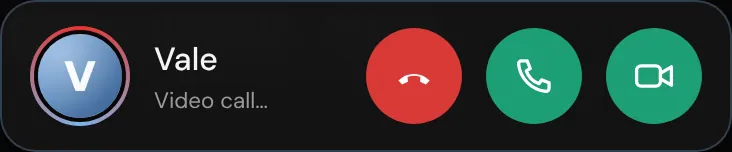
If bemy.fans is closed, you get a notification that they're calling, as long as you've allowed notifications. Opening it shows who's calling, with Decline, Voice and Video. Nothing connects until you choose, so it keeps ringing for them.
During a call
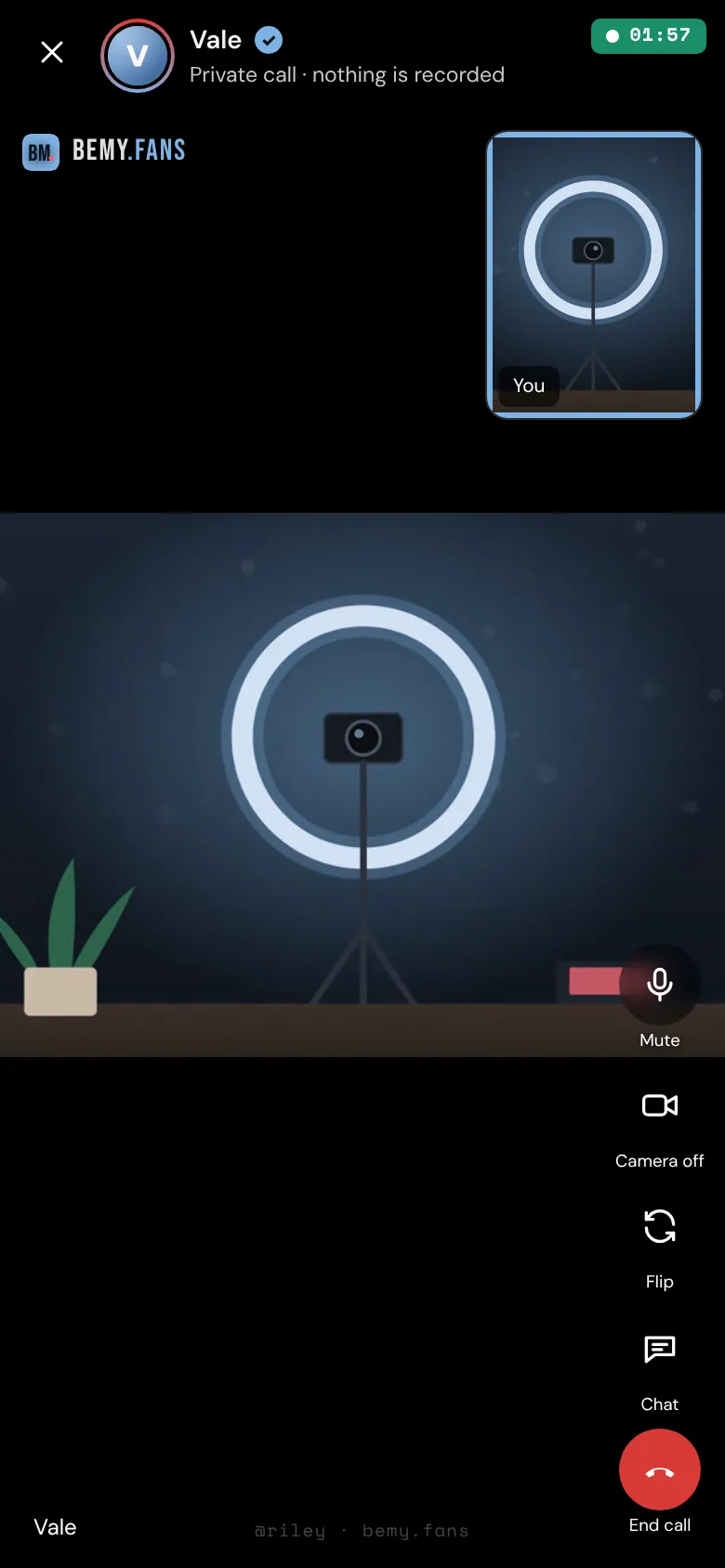
- Mute / Unmute.
- Video turns your camera on. When you've both verified your ID, the other person is told they can turn theirs on too. Each of you decides about your own camera: tap Camera off to turn yours off, and Video to turn it back on.
- You choose when to see their video. If the other person turns their camera on while yours is off, you see their picture with Show video. Their video only appears once you tap it, or once your own camera is on.
- Flip (phones, with your camera on) switches between your front and back cameras. Settings (computers) lets you pick another camera or microphone.
- Chat (phones) opens a text chat for the two of you. On a computer, it's on the right.
- The timer at the top shows how long you've been talking.
Without video, you see the other person's picture, and it lights up while they're speaking.
Verify your ID during a call
If you haven't verified and tap Video, the ID check opens on top of the call, and the call keeps going while you do it. With IDCheck (Beta), most members are verified in a few seconds, and video comes on as soon as you are. If your ID is flagged for a person to check, the call stays voice.
If the other person hasn't verified, the call stays voice. They can verify from their side the same way. If someone's verification is removed during a call, the call carries on as voice.
End a call
- Tap End call.
- Tap End call again to confirm. The call ends for both of you.
Either of you can end it at any time, for any reason. Tapping the ✕ (phones) or Back (computers) asks the same question. Afterwards, Open your chat with them takes you back to your chat.
A call also ends by itself if the person who called leaves or loses their connection for 3 minutes, or if either of you blocks the other.
Calls in your chat
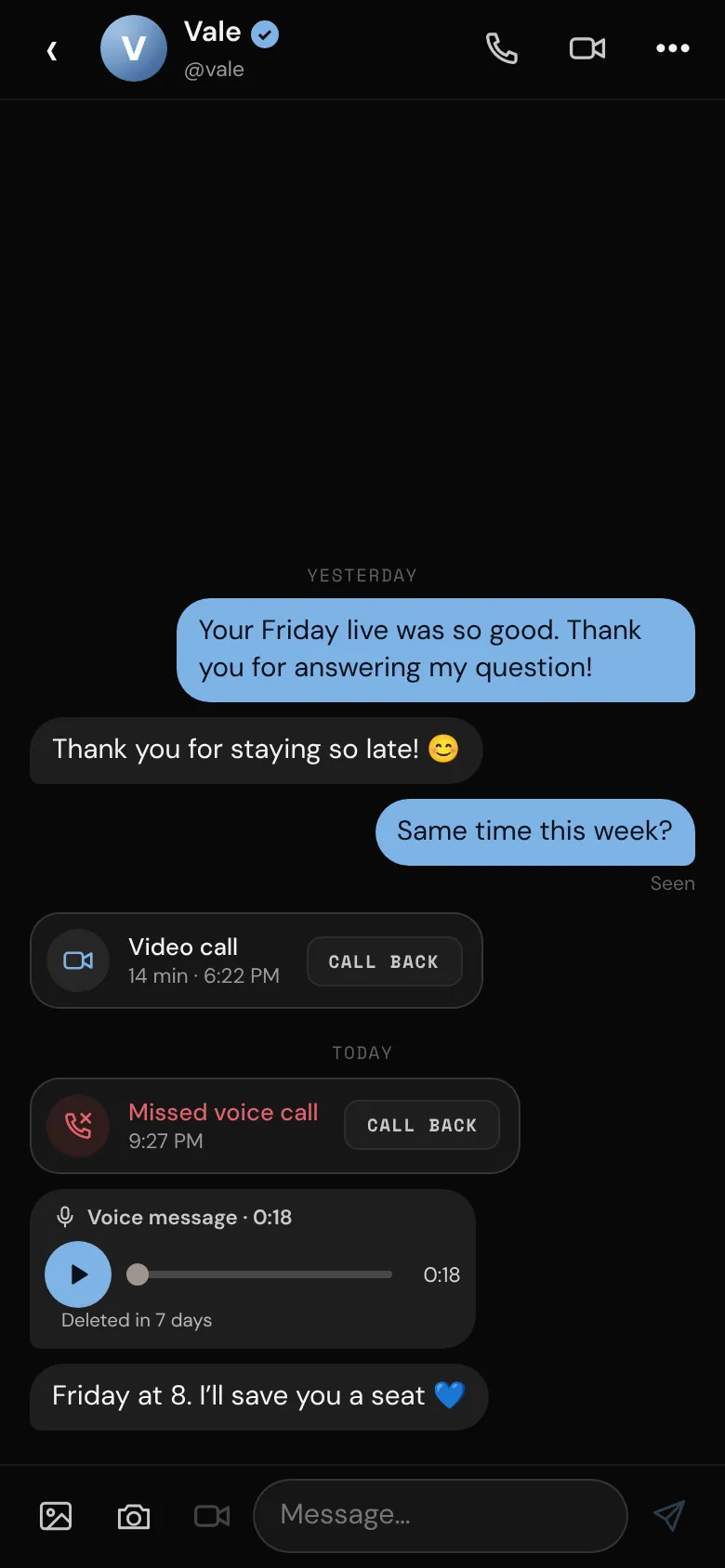
Every call shows up in your chat with that person, with Call back (or Call again) right there:
- Voice call or Video call, with how long you talked: a call you had.
- Missed voice call or Missed video call: a call you didn't answer. It counts as unread, and you get a notification.
- No answer, Declined or Cancelled: a call you made that nobody picked up.
A call can't be unsent. Delete chat removes it for you, like any message.
Leave a message when nobody answers
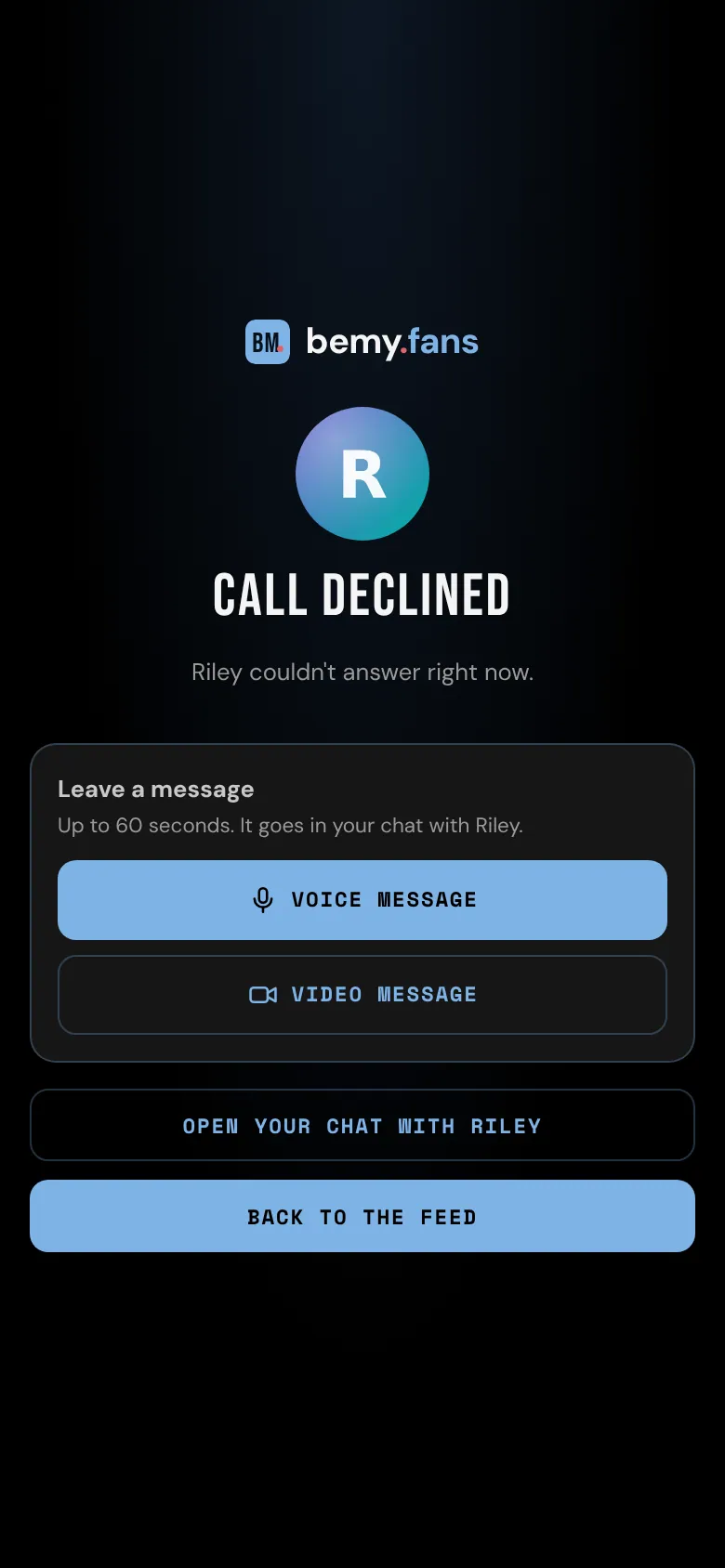
When your call isn't answered (they declined, it rang out, or you hung up first), the call screen offers Leave a message:
- Tap Voice message, or Video message if you've verified your ID.
- Talk for up to 60 seconds, then tap Stop. It stops by itself at 60 seconds.
- Listen back, then tap Send, or Record again.
It goes in your chat like a voicemail. You can leave one message per call, within 15 minutes of the call ending.
When a fan's call to a creator isn't answered, the fan can leave a voice message. Video message is only offered if the creator takes video messages from fans (Fans can send me video messages in Settings, under Messages). See Private messages.
When someone leaves you a message, you get a notification ("Left you a voice message"). In the chat, tap ▶ to play a voice message.
- A video message shows Tap to view until you tap it, if you've turned on Ask before showing private photos and videos in Settings.
- If you haven't verified your ID, you see that a video message arrived, and Verify my ID to watch it.
- Messages are kept as long as photos in messages from the person who left them: 7 days on Free, 90 days on Plus and Pro. Then they're deleted. The chat shows when.
- If one is unwanted, report the chat. Moderators get a copy. See Block and report.