Record your live
You can record your own live. Only your camera and microphone are recorded, never the chat or anyone else, and nothing is posted unless you choose to post it. With the Creator Studio on, Record records what's on screen instead: see With the Creator Studio below.
Before you start
- You need a verified ID, the same as for going live. See Verify your ID.
- You have to be the only one on camera. If you've brought people on camera, take them off first (Viewers → Off camera).
- Your camera has to be on.
- Using Cameras? Record from the device that's your camera. Record doesn't show on a monitor or a remote.
If you don't see Record, recording lives is turned off on bemy.fans right now.
Start recording
- In your live, tap Record (with a red dot).
- Read what's recorded, then tap ⏺ Start recording.
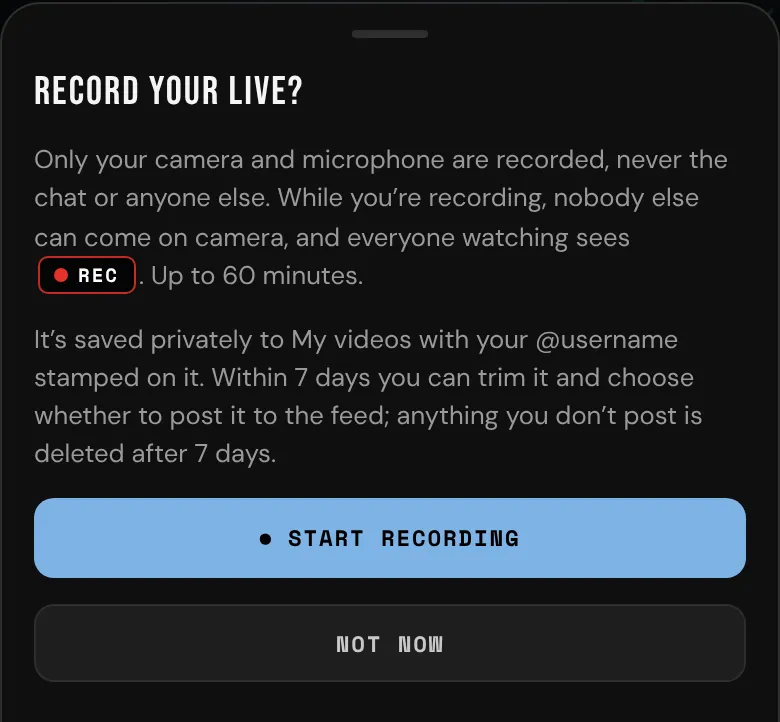
While you record:
- Everyone watching sees REC next to LIVE. You also see how long you've been recording.
- Nobody else can come on camera. Viewers can still tap Join on camera, but they're told to wait until you stop. Invite is turned off in your Viewers list.
- Muting your microphone records silence. It doesn't stop the recording.
- Flip doesn't work while you record, because switching cameras would stop the recording. Stop recording first.
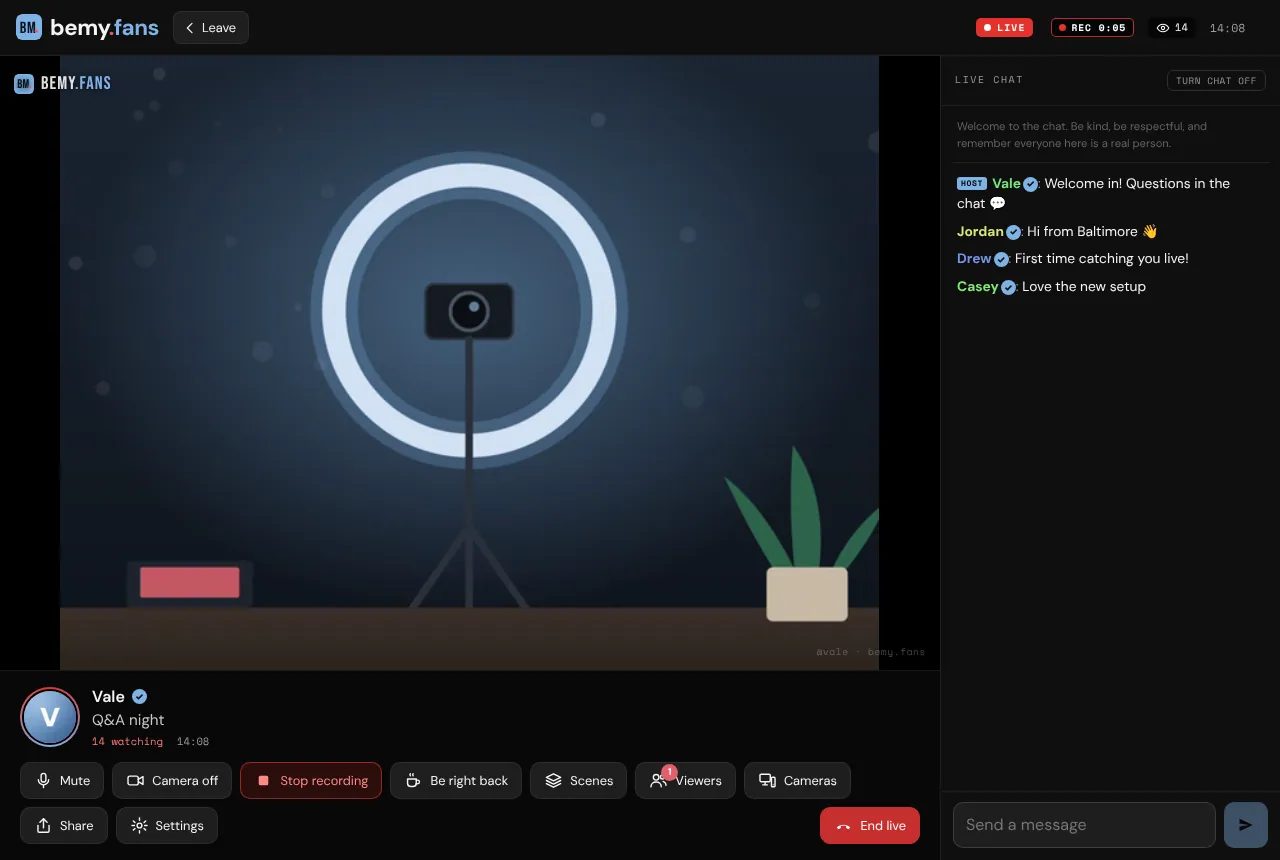
Stop recording
Tap Stop recording. A recording also stops by itself when you:
- turn your camera off,
- take a break with Be right back,
- end or leave your live,
- reach 60 minutes.
Whatever was recorded is kept either way. Keep bemy.fans open for a moment while the end of it uploads. Your Record button shows Saving… until it's done.
With the Creator Studio
With the Creator Studio on, Record records the finished picture and sound, as your viewers see them: your scenes, your overlays and the chat if it's on screen. Tap Record, then ⏺ Start recording on Record what's on screen?. You can start and stop it in Scenes too.
- Only you can be recorded, so no guest can be on screen while it runs. Take your guests off screen first. Anyone you invite on camera while you record waits backstage until you stop.
- It's recorded on bemy.fans's live servers, so you can start and stop it from Scenes on any of your devices, and nothing has to upload when it ends.
- Be right back doesn't stop it: the recording shows your Be right back screen, like your viewers see.
- It stops when you tap Stop recording, when you turn the Creator Studio off (or it stops), when your live ends, and after 60 minutes.
My videos
Your recordings are in My videos. Find it under More, on your Home, or at the bottom of the Live page. The screen at the end of your live also has Open your recording.
Getting a recording ready takes a minute or so (longer for a long live). You get a notification when it's ready. Videos you record or upload for a post are in My videos too, and those can be full length, up to 6 hours. See Post a video.
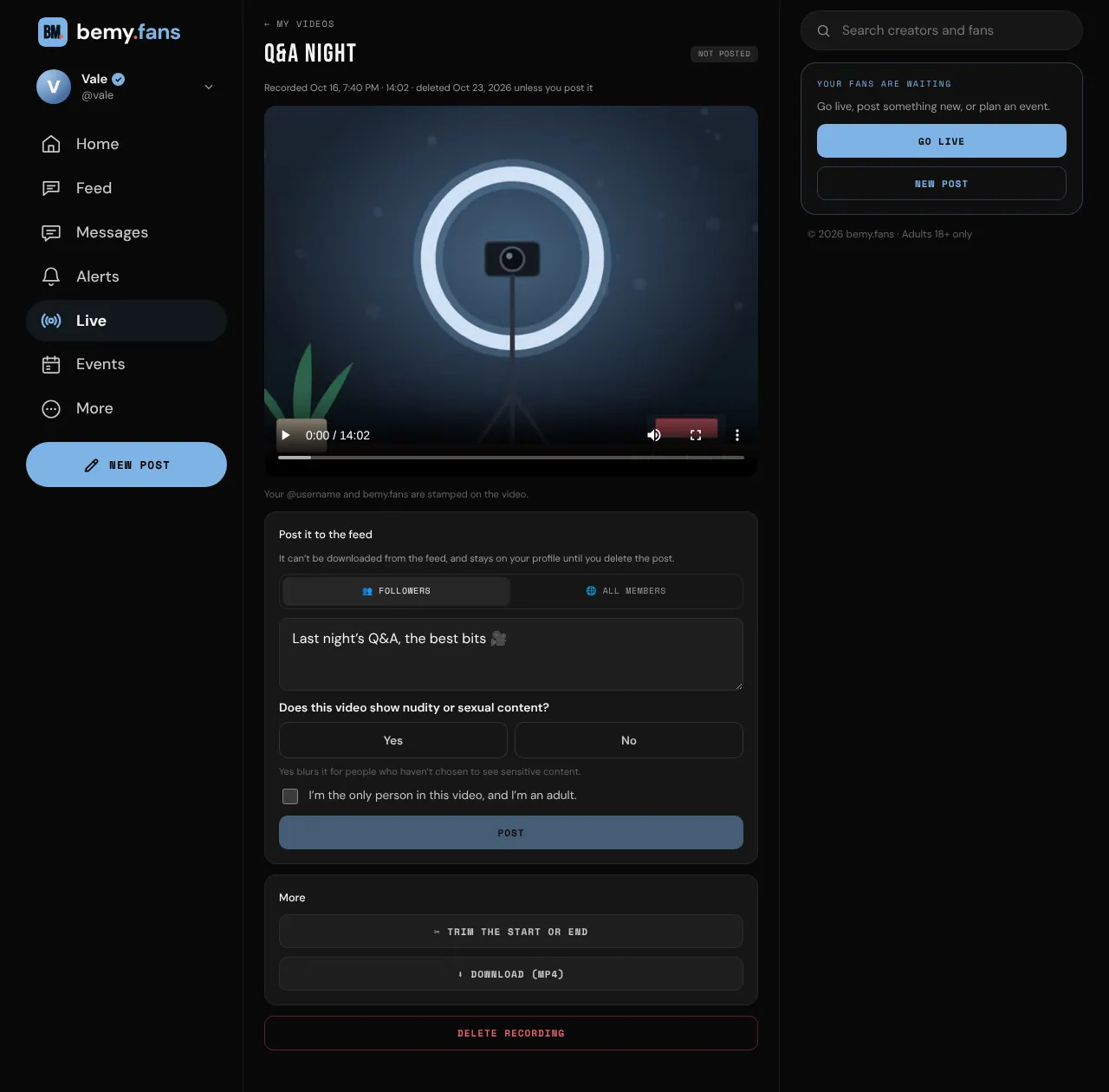
Every recording has your @username and bemy.fans stamped on it. It's private to you until you post it. Tap a recording to open it:
- Trim the start or end: tap ✂ Trim the start or end. Play the video to the spot you want and tap Here (or drag), then tap Trim. The cut lands on the nearest second or two. Trimming can't be undone.
- Post it to the feed: under Post it to the feed, choose 👥 Followers or 🌐 All members, and add a caption if you like. Answer Does this video show nudity or sexual content? with Yes or No. Yes blurs it for people who haven't chosen to see sensitive content, until they tap it. Tick that you're the only person in the video and you're an adult, then tap Post. Posted videos can't be downloaded from the feed.
- ⬇ Download (MP4): comes with Plus and Pro. See Plans and badges.
- Delete recording: deletes it, and its post if it has one. Tap Delete recording again to confirm.
How long recordings are kept
A recording you don't post is deleted 7 days after your live. Each one shows how many days it has left. One you post stays until you delete the post. Deleting the post puts the recording back in My videos for another 7 days.
You can have up to 10 recordings waiting at a time. Post or delete one to make room for the next.
If a moderator takes a video off the feed, it can't be posted again.