Live safety
Lives and calls happen in real time, so a few simple habits go a long way. The live chat sums it up: be kind, be respectful, and remember everyone here is a real person.
The ground rules
- Adults only. Everyone on camera must be 18 or older. Going live, joining someone on camera and video calls all need a verified ID. See Verify your ID.
- Consent. Everyone on camera must agree to be there, including a collab partner or anyone who walks into the shot. Never show someone who hasn't said yes, and only show them the way they agreed to.
- Respect. Be kind in chat and on camera, and never share someone else's private details. Harassment can be reported, and moderators act on it.
Protect your privacy
- bemy.fans doesn't record lives or calls, unless a host records their own live: only the host is ever on camera in it, never a guest, and everyone watching sees REC. In a live with the Creator Studio, the recording is what's on screen, so it includes the chat if the host shows it there. See Record your live. But anyone watching could film their screen. The faint username mark across the video discourages it, but can't stop it, so only show what you'd be comfortable with someone keeping.
- Check what's behind you: mail, documents, photos, windows and anything else that shows where you live or work.
- Never share personal details like your full name, address, workplace or phone number, in chat or on camera. If you post something you regret, tap ⋯ next to your message, then Delete.
- Only people with the link keeps a live out of lists and notifications, but anyone signed in who has the link can still watch.
- A public link lets people without an account watch. See Public live links.
- Joining a live with the Creator Studio? You wait backstage first: the host and anyone else on camera can see and hear you, but viewers can't. The label on your screen says Backstage or On screen, so you always know when everyone sees you. See Creator Studio.
- On a shared device, turn on Hide explicit branding in Settings. The mark on the video then shows a neutral "bm" instead of the bemy.fans name.
Tools for hosts
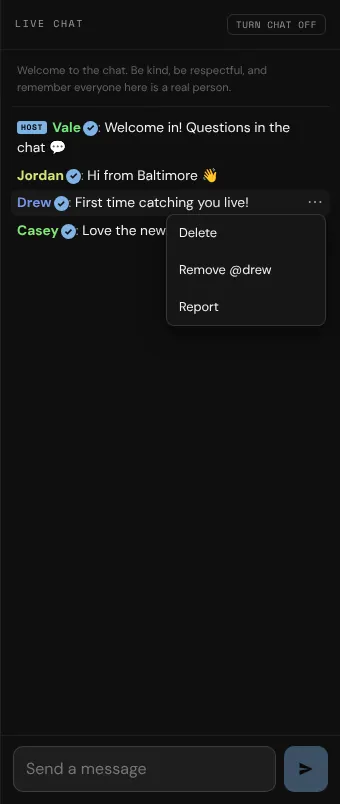
- Delete a message: tap ⋯ next to it, then Delete.
- Remove someone: tap ⋯ next to their message and choose the Remove option with their name, or tap Viewers, then Remove. They're disconnected, their messages in this live are hidden, and they can't come back to this live.
- Take someone off camera: tap Viewers, then Off camera. With the Creator Studio, you can also keep someone backstage, or take them off screen, from Scenes → Guest spots.
- Turn chat off: tap Viewers, then switch off Chat. On a computer, you can also tap Turn chat off at the top of the chat. While it's off, only you can post.
- End your live at any time with End live.
Report someone
- In a live, tap Report to report the host. To report someone else, tap ⋯ next to their chat message, then Report.
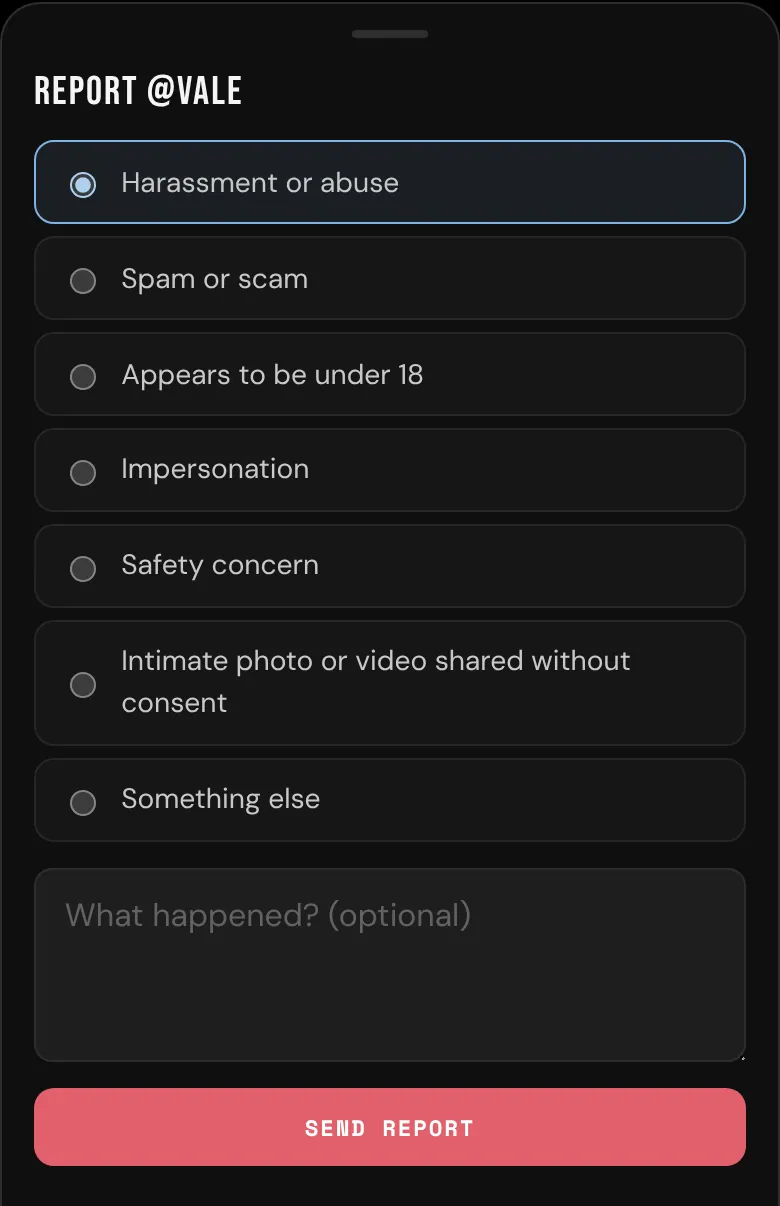
- Choose a reason, add what happened if you like, and tap Send report.
Your report goes to bemy.fans's moderators, along with what that person said in the live's chat. Reports that someone appears to be under 18, safety concerns, and intimate photos or videos shared without consent are looked at first. Reporting from a live doesn't block anyone.
There's no Report button during a call. Tap ⋯ next to one of their chat messages, then Report. Or end the call, open your chat with them and tap •••, or use ••• on their profile.
Block someone
On the person's profile, tap •••, then ⛔ Block. After that:
- neither of you can find or open the other's lives,
- if they're watching your live, they're removed, and you're removed from theirs,
- you don't see each other's messages in other people's live chats,
- any call between you ends.
See Privacy and safety for more about blocking.
What moderators do
bemy.fans's moderators review every report. They can remove anyone from a live, close a live to public guests, and end any live. When a moderator ends a live, viewers see A moderator ended this live, and the host gets a notification saying why. Moderators can't join private calls.