Public live links
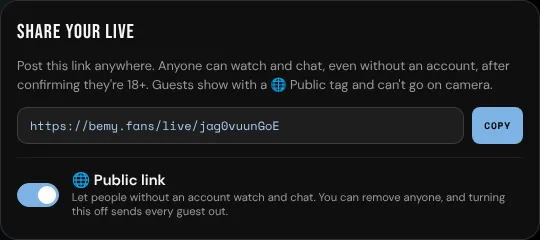
Normally, only people signed in to bemy.fans can watch a live. A public link also lets people without an account watch and chat, so you can share your live outside bemy.fans and bring new fans in. It's off unless you turn it on, and you can turn it off at any time.
Turn on a public link
When you go live, turn on 🌐 Public link before tapping Go live.
To turn it on during a live, on a phone or a computer:
- Tap Share.
- Turn on 🌐 Public link. Anyone with the link can now watch.
- Tap Copy and post the link wherever you like, or tap Share… to use your device's own share menu.
The same switch is also at the top of Viewers.
Going live for an event you shared publicly turns the public link on from the start. See Share it anywhere.
While it's on, a 🌐 Public tag shows next to your name on the live.
What guests see and can do
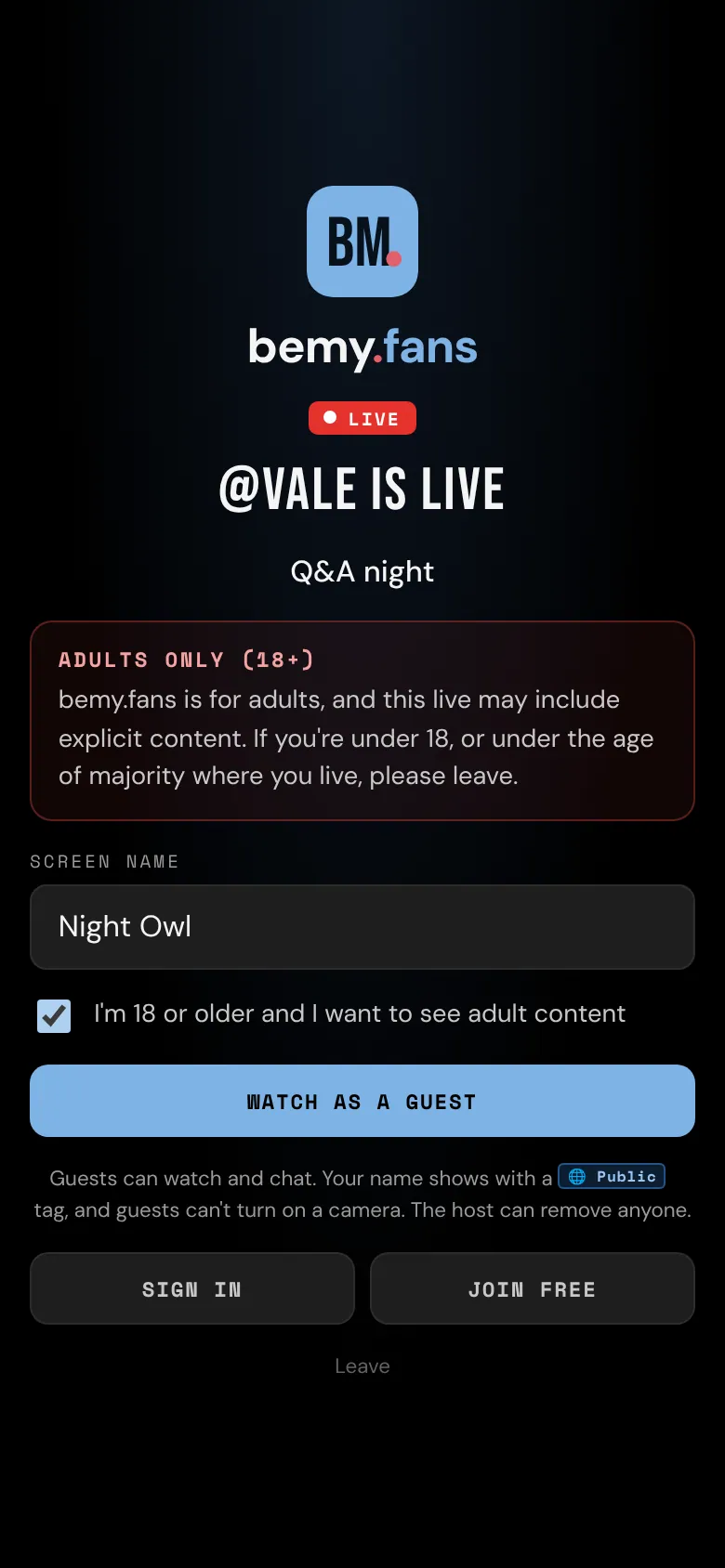
When someone without an account opens your link, they see that you're live and your title, with an Adults only (18+) warning. To come in, they:
- Pick a Screen name (2 to 24 characters). It can't be a member's username or a name like "host" or "moderator".
- Tick I'm 18 or older and I want to see adult content.
- Tap Watch as a guest.
Guests can:
- watch and hear everyone on camera,
- chat, with a 🌐 Public tag next to their name, one message every 3 seconds and no links,
- delete their own messages (tap ⋯, then Delete),
- report you, or a member from their chat message,
- leave whenever they like, or sign in or join bemy.fans.
Guests can't go on camera, follow anyone, or open profiles. In your Viewers list they show with 🌐 Public and "no account", and they count toward your viewer number.
Remove a guest or close the link
- Remove one guest: tap Viewers, then Remove next to them, or tap ⋯ next to their chat message and choose the Remove option with their name. They're sent out, their messages disappear, and they can't come back to this live, even if they clear their browser.
- Close the link for everyone: tap Share or Viewers and turn off 🌐 Public link. Every guest is sent out straight away, and only members can keep watching.
Moderators can also close any live to guests.
Lives without a public link
If you share the link of a live that isn't public, people who aren't signed in see the adult content warning, then just that you're live, with Sign in to watch and Create a free account. They never see your title or video until they sign in.
Stay safe
- A public link can travel anywhere. Assume anyone could watch, including people who know you. Keep your face, home and personal details out of view if that matters to you.
- Guests confirm they're 18 or older, but they don't verify an ID.
- If a guest causes trouble, remove them, or close the link. Members can report a guest: tap ⋯ next to their message, then Report.
See Live safety and Privacy and safety for more.