Photos, snaps and video messages
Who can send photos and snaps
You can send photos and snaps once you've verified your ID. See Verify your ID. They can't go in a message request: wait until the other person accepts it. Until you can send one, the photo and camera buttons next to the message box are greyed out, and the chat tells you why.
Send a photo
- In a chat, tap the photo button next to the message box and choose a photo.
- Add a caption if you like (up to 500 characters).
- Tap Send photo.
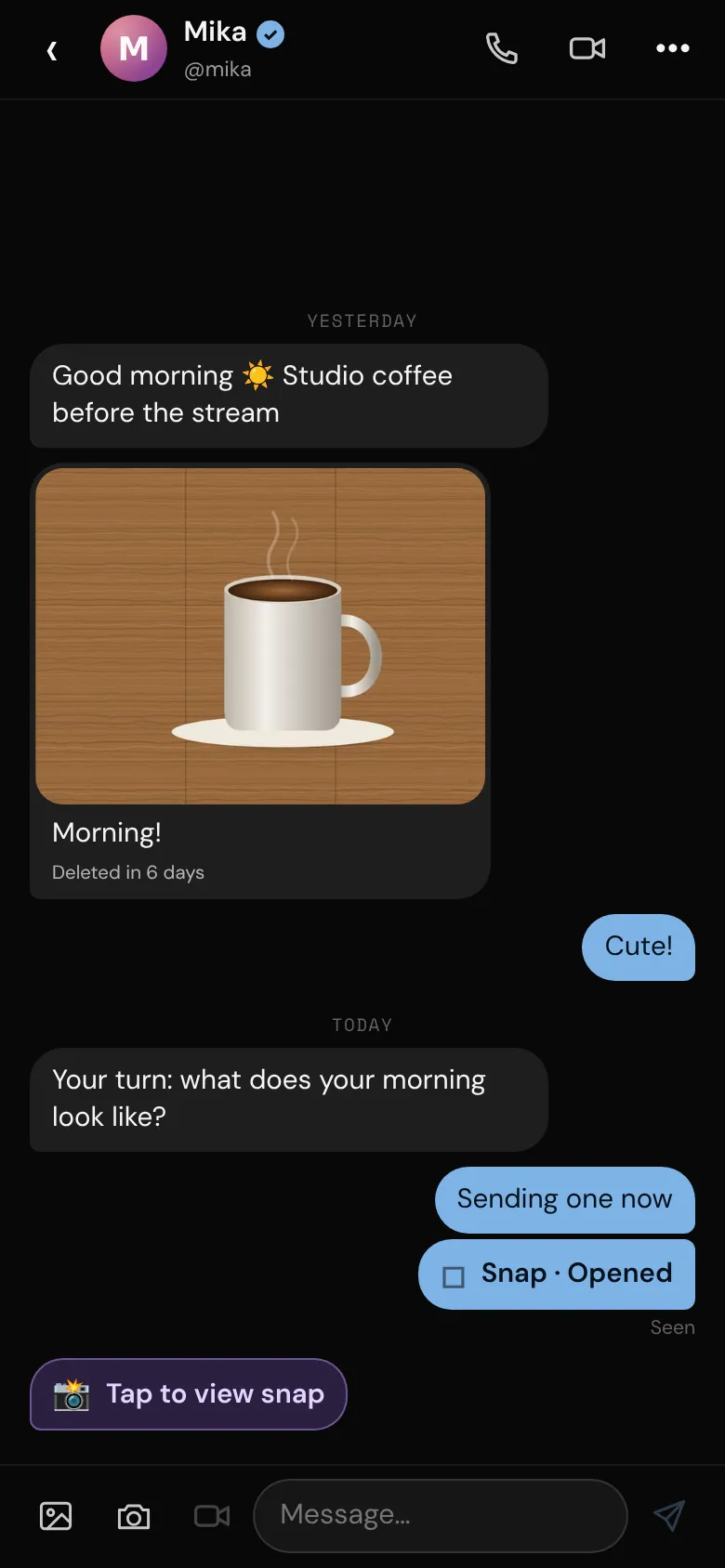
Photos are only kept for a while (see the plans below). A photo shows when it'll go, like "Deleted in 6 days". After that it's deleted for both of you and shows as 📷 Photo expired.
Send a snap
A snap is a photo the other person can open once.
- In a chat, tap the camera button next to the message box.
- Take the photo with the bemy.fans camera. Snaps can't come from your photo library. Tap ⇄ Flip to switch cameras, or Retake to try again.
- Tap Send snap.
You can't open a snap after sending it. Your chat shows whether it's delivered, opened, replayed or expired.
When someone sends you one, tap Tap to view snap. It opens full screen with your @username faintly across it, and closes when you tap anywhere or leave the app. Nothing can stop a screenshot, so only send what you're comfortable with.
Send a video message
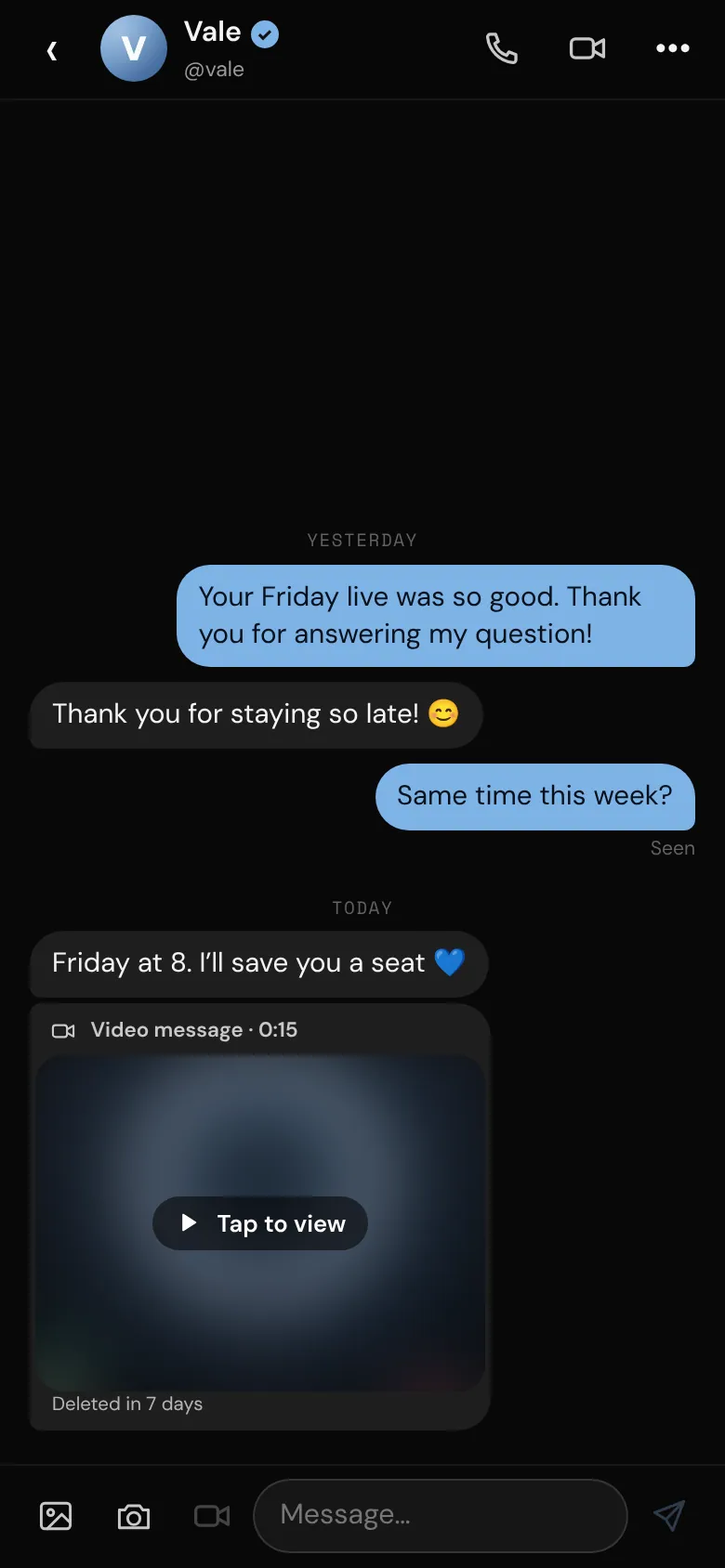
Creators can send video messages to anyone they can message. Fans can send them to creators who've turned on Fans can send me video messages (it's off to start with). If a creator hasn't, the video camera button is dimmed, and tapping it says "@vale doesn't take video messages from fans". You can still send them text, photos and snaps.
- In a chat, tap the video camera button next to the message box.
- Tap ⇄ Flip to switch cameras if you like, then the round button to start. Talk for up to 2 minutes and tap ■ Stop. It stops by itself at 2 minutes.
- Watch it back, then tap Send, or Record again.
Sending or watching a video message needs a verified ID. Someone who hasn't verified sees that it arrived, with Verify my ID to watch it.
Video messages are kept for 7 days on every plan, then deleted for both of you. They can't be downloaded. If you don't see the video camera button, video messages are turned off on bemy.fans right now. In group chats, video messages are for creators (see Group chats).
For creators: video messages from fans
To take video messages from fans, open Settings, go to Messages and turn on Fans can send me video messages. It's for fans whose messages you've accepted. Turn it off again any time. See Private messages.
Limits by plan
- Free: photos and snaps you send are kept for 7 days. Snaps sent to you can be viewed once.
- Plus and Pro: photos and snaps you send are kept for 90 days. Snaps sent to you can be replayed once (Tap to replay).
How long a photo or snap is kept depends on the sender's plan. Whether a snap can be replayed depends on the plan of the person viewing it. See Plans and badges.
Photos stay hidden until you tap
When Ask before showing private photos and videos is on in Settings, under Profile & privacy, photos people send you show as 🔒 Photo · tap to view, and video messages show Tap to view. It's on unless you turned it off. They hide again when you leave the app, so you can open your messages safely in public.
Disappearing messages
- In a chat, tap •••.
- Under Disappearing messages, choose 24 hours or 7 days. Choose Off to stop.
It's for both of you: new messages are deleted that long after they're sent. The chat shows who turned it on, and ⏱ appears next to the chat in your inbox. You can turn it on once you're both chatting, not while the chat is still a request.