Find creators and members
Search for a creator
- Tap the 🔍 at the top of the Community feed. On a phone, it's also at the top of Home.
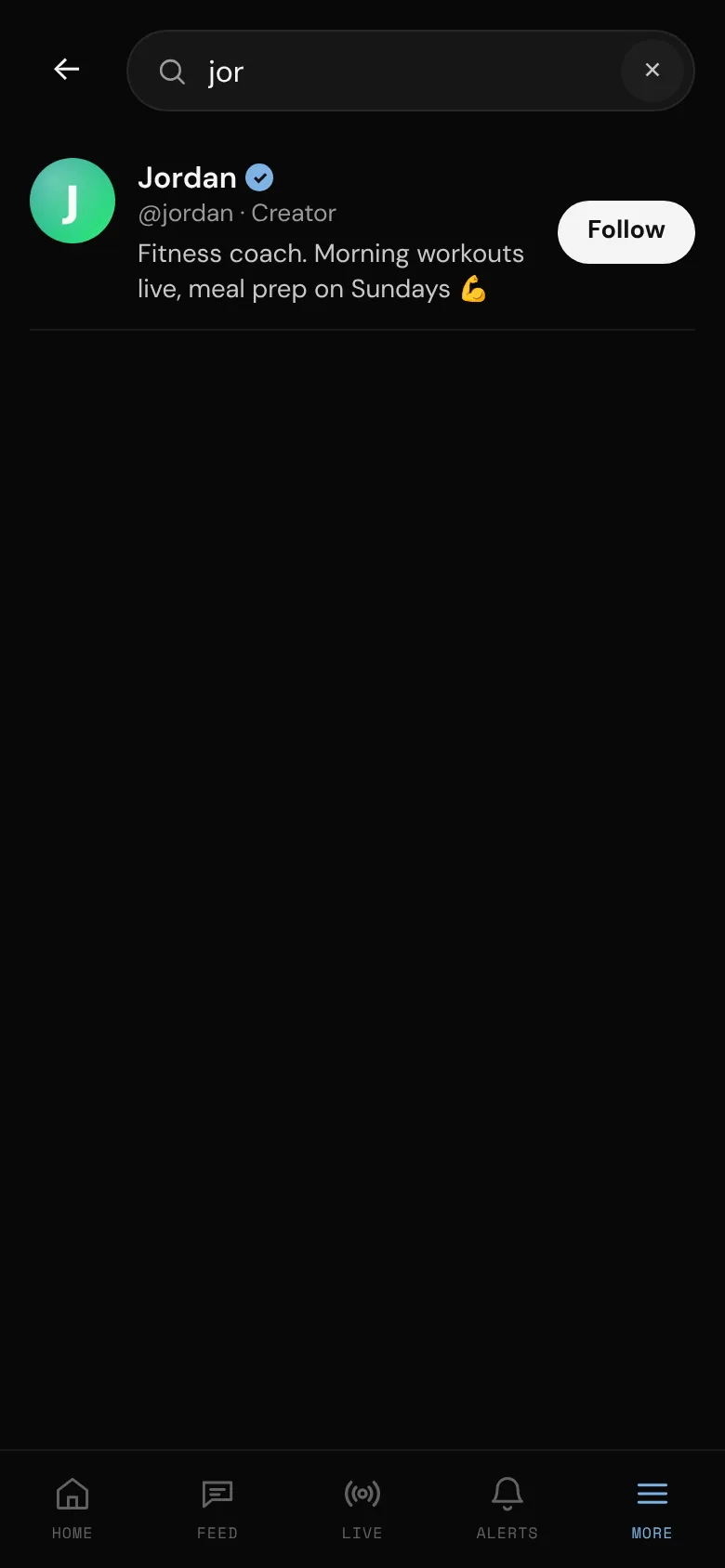
- Type a name or username in the search box. Results appear as you type.
- Tap someone to open their profile, or tap Follow right there.
Fans find creators: the box says Search creators. Creators find everyone, fans included, and their box says Search creators and fans.
On a wide computer screen there's also a search box at the top of the right-hand column: type, then pick someone from the list (the arrow keys and Enter work too). On a narrower window, use Search in the side menu.
Search finds people whose username or display name starts with what you type, or who have a word in their display name that starts with it (so "smith" finds "Jo Smith"). Typing @ first is fine. An exact username match comes first, then people you follow.
Each result shows the person's @username, Creator if they're a creator, the start of their bio, Follows you if they follow you, and a Follow button on creators. Members you've blocked, or who have blocked you, never appear.
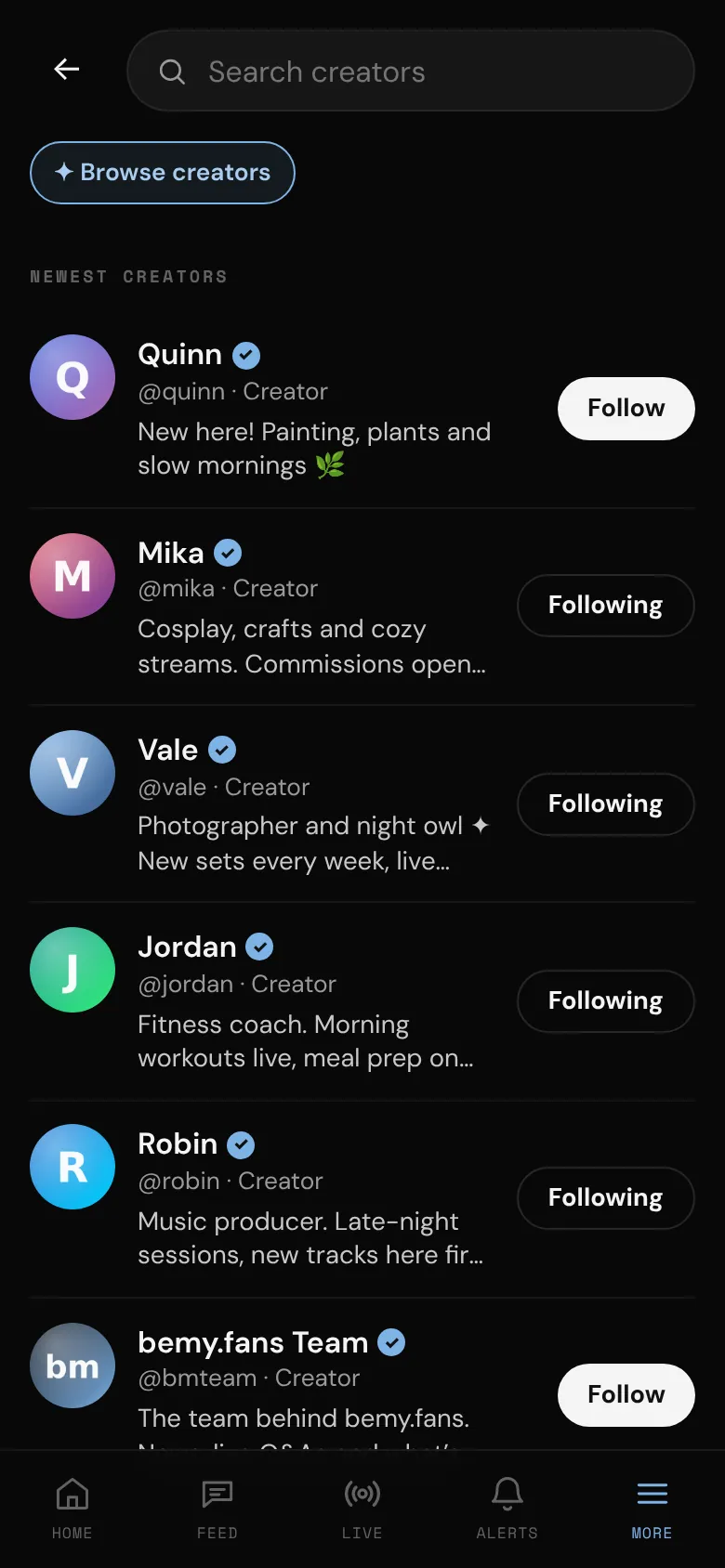
Browse creators
To see who's creating on bemy.fans:
- Open the search page and leave the box empty.
- Tap ✦ Browse creators under the search box.
- You see Newest creators: the creators on bemy.fans with a verified ID, newest first. Tap Show more at the bottom to see more.
Tap ✦ Browse creators again to go back to suggestions.
Fans can also tap Find creators on Home, under More on a phone, or at the bottom of the side menu on a computer. On a wide computer screen, fans see a few New creators on the right: tap See all for the full list.
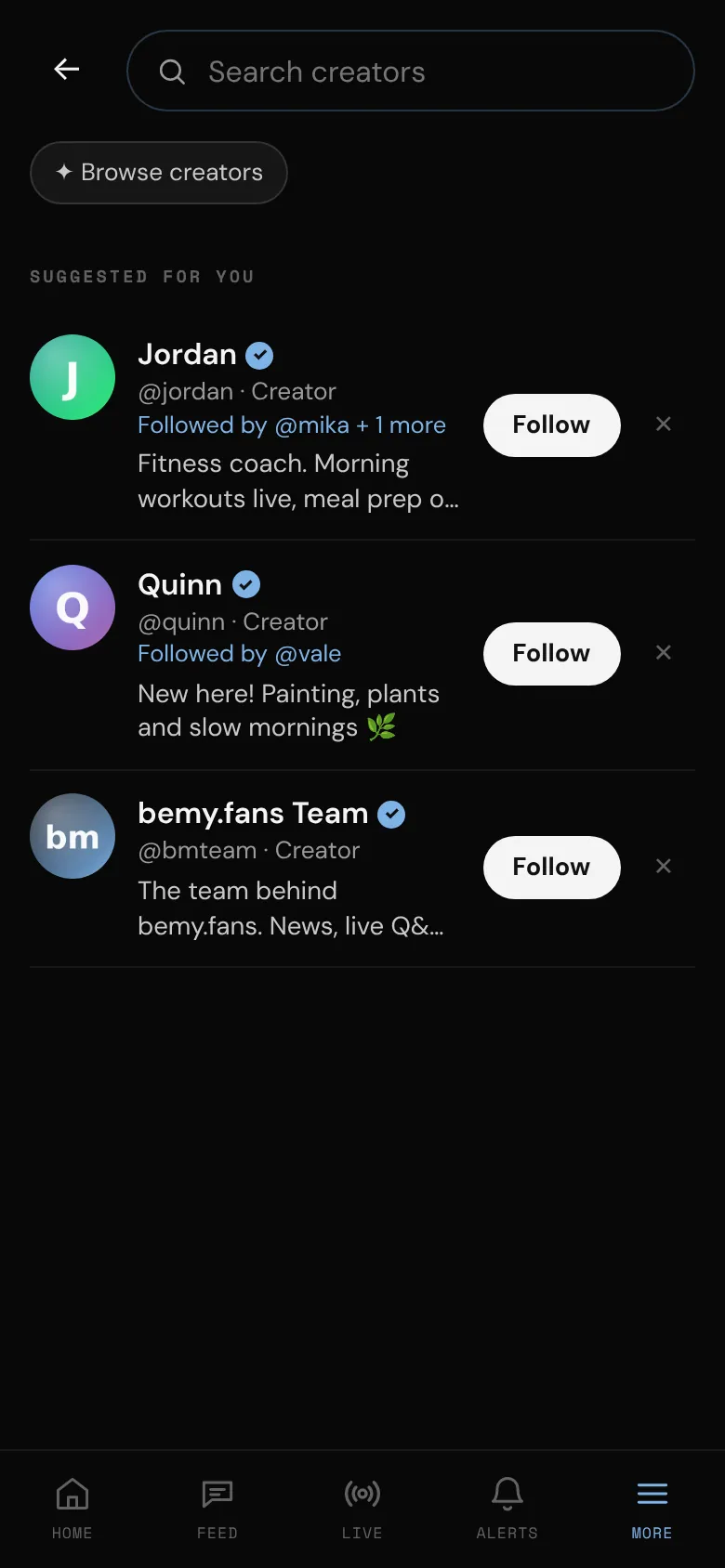
Suggested for you
bemy.fans suggests creators you might like to follow. Only creators are suggested, because only creators can be followed.
- In the feed, a Suggested for you row appears after the first few posts. Swipe through it (or use the arrows on a computer) and tap See all for more.
- On the search page, before you type anything.
- Under Creators to follow in the right-hand column on a wide computer screen.
Suggestions favour creators who follow you, creators followed by people you follow, and creators who've been active lately, have a photo and a bio, are ID-verified or have just started creating. The line under each name says why, like Followed by @jordan + 2 more or New creator. The list changes a little every day, and creators you already follow aren't suggested.
Not interested
Tap ✕ on a suggestion, in the feed row or on the search page. bemy.fans won't suggest that creator to you for 90 days. It doesn't block them and they aren't told. You can still find them by searching.
Keep yourself out of suggestions (creators)
Only creators are suggested, so only creators have this setting. Turn off Suggest me to other members under Profile & privacy in Settings. Members can still find you by searching for your name or username.
Creators who turn it off still appear in ✦ Browse creators. To leave that list, switch to a fan account under Account type in Settings. As a fan you can't post, and your posts are hidden until you switch back. See Creator or fan?.