Confirm your email
After you sign up, bemy.fans sends you an email called Confirm your email for bemy.fans. It has a Confirm my email button and a 6-digit code. Both work for 7 days.
Why confirm
Until your email is confirmed:
- bemy.fans doesn't send you any notification emails: no message emails, no event reminders, no alerts.
- You can't connect your X or Bluesky accounts (see Share to X and Bluesky).
- Creators aren't suggested to other members or listed in Browse creators, so new fans can't find you there.
Unconfirmed accounts are also paused after 60 days (see below), so it's worth doing straight away.
How to confirm
The quickest way is to tap Confirm my email in the email. It works even if you're not signed in on that device.
Or type the code into bemy.fans:
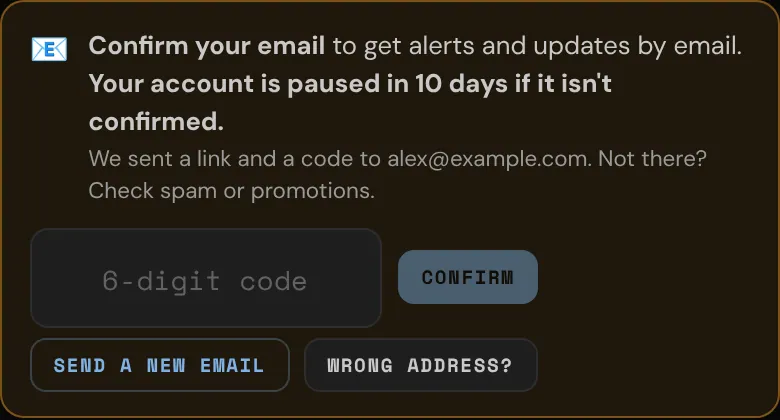
- At the top of any page, find the Confirm your email banner and tap Confirm.
- Tap Enter code and type the 6-digit code from the email.
- Tap Confirm.
The code is handy when the email's link opens in a different browser or app from the one you use for bemy.fans.
Didn't get the email?
- Check your spam, junk or promotions folder. If it's there, mark it "Not spam" so your other emails from bemy.fans arrive too.
- Tap Send a new email: it's in the banner once you tap Confirm, and in Settings → Email. You can send up to 3 an hour.
- Each new email replaces the one before, so always use the newest email's link or code.
- After 5 wrong codes, that code stops working. Send a new email and use the new code.
Wrong address?
- In the banner, tap Confirm, then Wrong address?
- Enter the right address and your password.
- Tap Update and send. A new confirmation goes to the new address.
Once your email is confirmed, it can't be changed in the app. Contact bemy.fans Support if you need to change it.
If you never confirm
- bemy.fans reminds you by email, and in Alerts, during your first month, then sends a final warning a week before the deadline.
- In the last 14 days, the banner shows how many days are left.
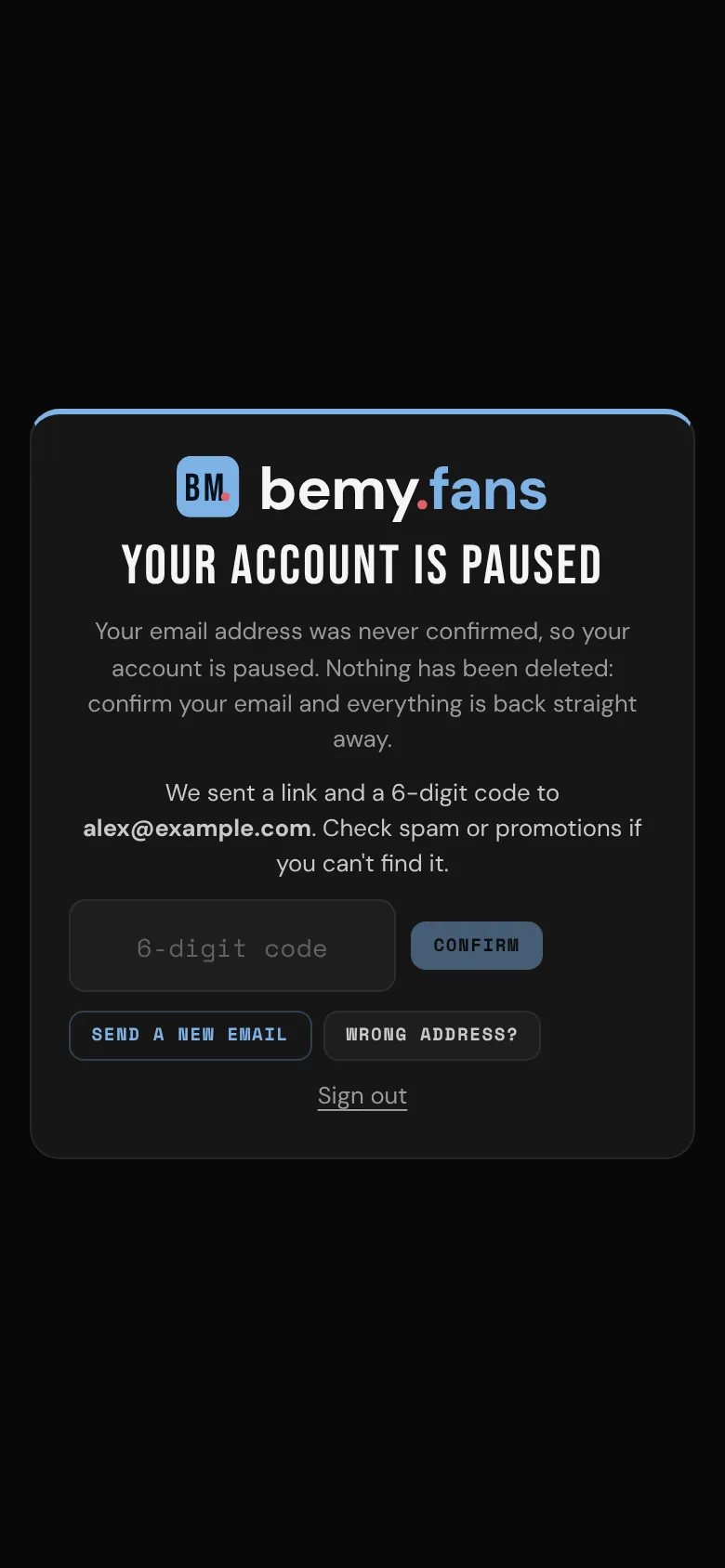
- 60 days after you joined, an unconfirmed account is paused. Instead of the app you'll see Your account is paused, and the only things you can do are confirm your email or Sign out.
Nothing is deleted while your account is paused. Confirm with the link or the code and everything is back straight away.