Find your way around
bemy.fans works on any phone, tablet or computer. The menus change a little with the size of your screen, but the pages are the same.
On a phone
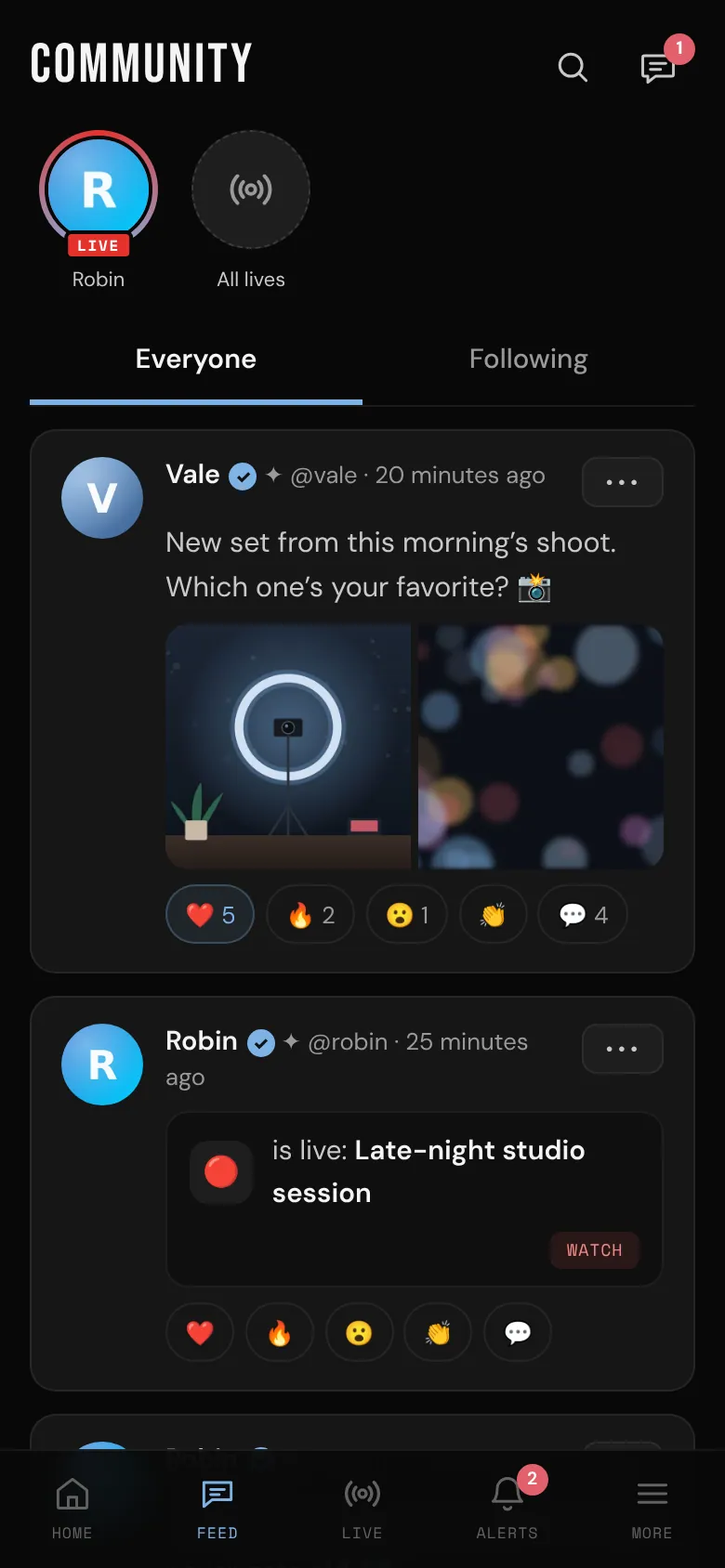
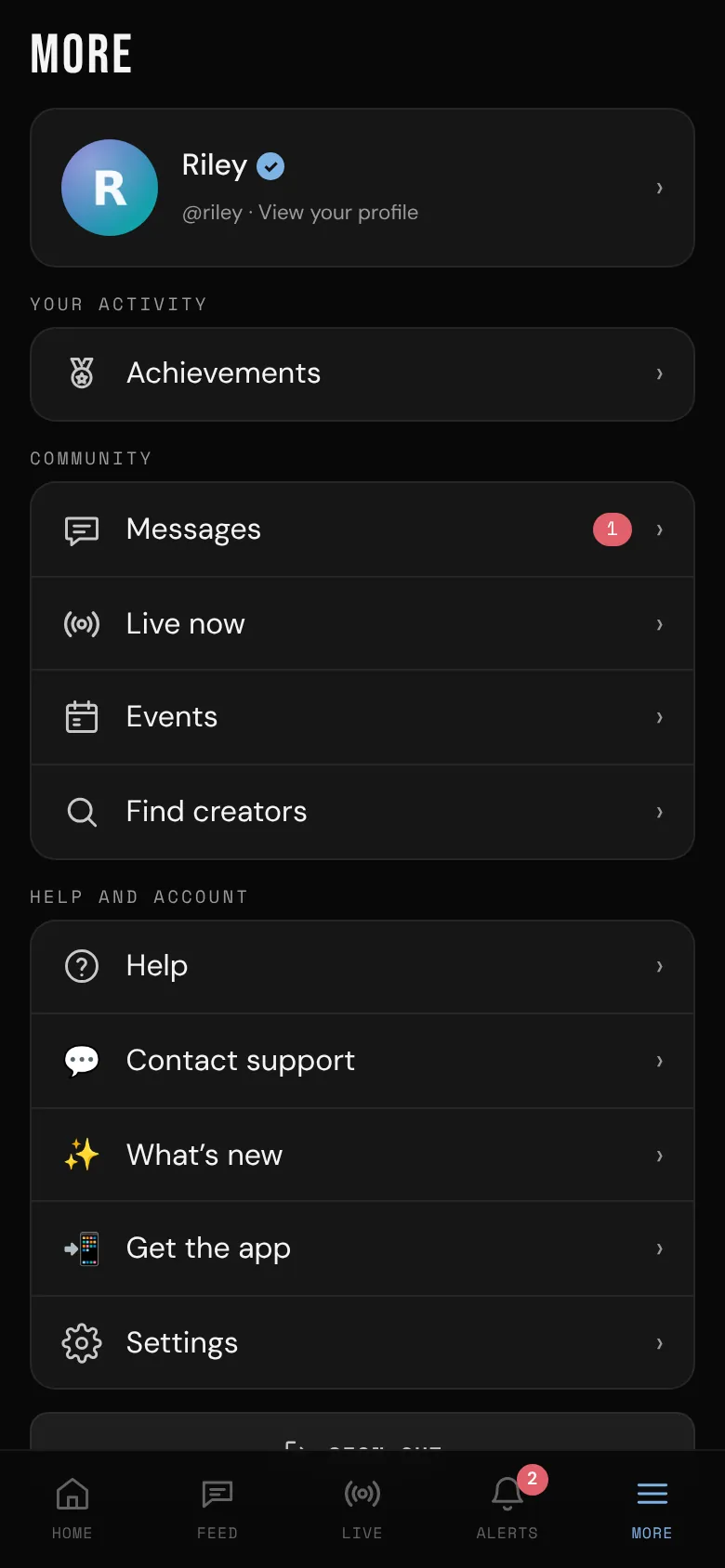
The bar along the bottom has five tabs:
- Home: your quick buttons, with the feed underneath. Creators get Go live, Creator Studio, New post, Events, My videos and View my profile. Fans get Find creators (it opens Browse creators), Live now and Events.
- Feed: the community. Anyone who's live right now is at the top, then creators' posts from Everyone, or just from the creators you're Following.
- Live: lives happening now, from creators you follow and lives open to everyone.
- Alerts: your notifications. A number shows how many are new.
- More: everything else. Your profile is at the top. Then Go live, Creator Studio and My videos (creators), and Achievements; Messages, Live now, Events and Find creators; and Help, Contact support, What’s new, Get the app and Settings, with Sign out at the bottom.
At the top of the feed, the magnifying glass opens Search (find creators by name; creators can find fans too), and the speech bubble opens Messages, with a count of unread chats. See Find creators and members and Private messages.
On a tablet or computer
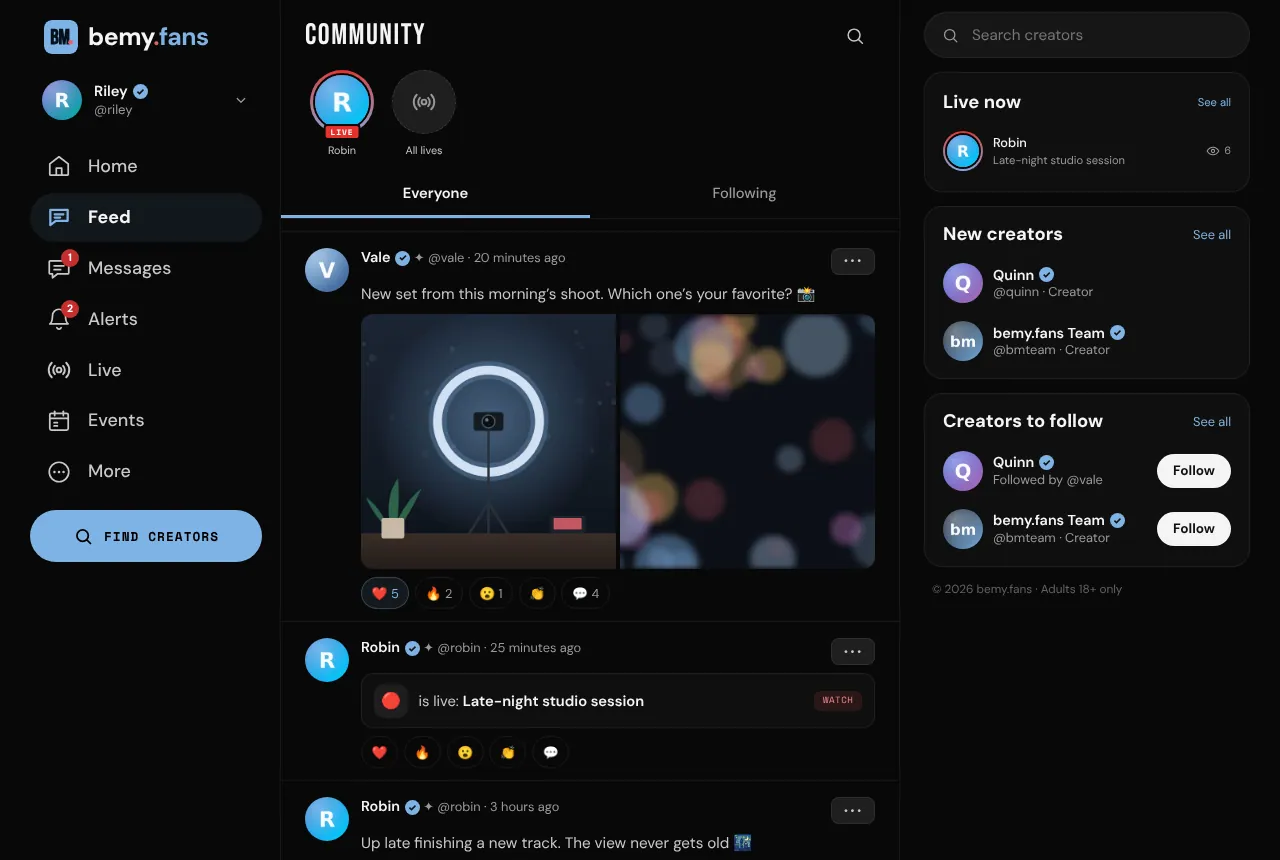
A menu runs down the left side. On a tablet it shows icons only.
- At the top: your picture and name. Click it for Profile, Settings and Sign out.
- The main list: Home, Feed, Messages, Alerts, Live and Events. Search appears here too when the window is too narrow for the search box.
- More: Achievements, My videos and Creator Studio (creators), Help, What’s new and Get the app.
- At the bottom: a big New post button for creators. Fans get Find creators there instead.
On a wide screen there's also a column on the right with:
- a search box: Search creators for fans, Search creators and fans for creators;
- Live now, when someone is live;
- Your fans are waiting for creators, with Go live and New post, or New creators for fans, with See all. These don't show on Home, which already has its own quick buttons;
- Creators to follow.
Where to find Help
- Phone: tap More, then Help.
- Tablet or computer: More → Help in the side menu.
- ❓ Help, ✨ What’s new and 💬 Contact support are also at the top of Settings on every device.
- Not signed in? The Help Center is open to everyone at bemy.fans/help.