Activity in the feed
Besides the posts you write, bemy.fans can add short activity posts to the feed, so your followers know what you're up to. Members can react to them and comment on them like any other post.
Activity posts are for creators, like every post on bemy.fans. Fans don't get them, and the Activity in the feed settings only show on creator accounts.
What gets posted
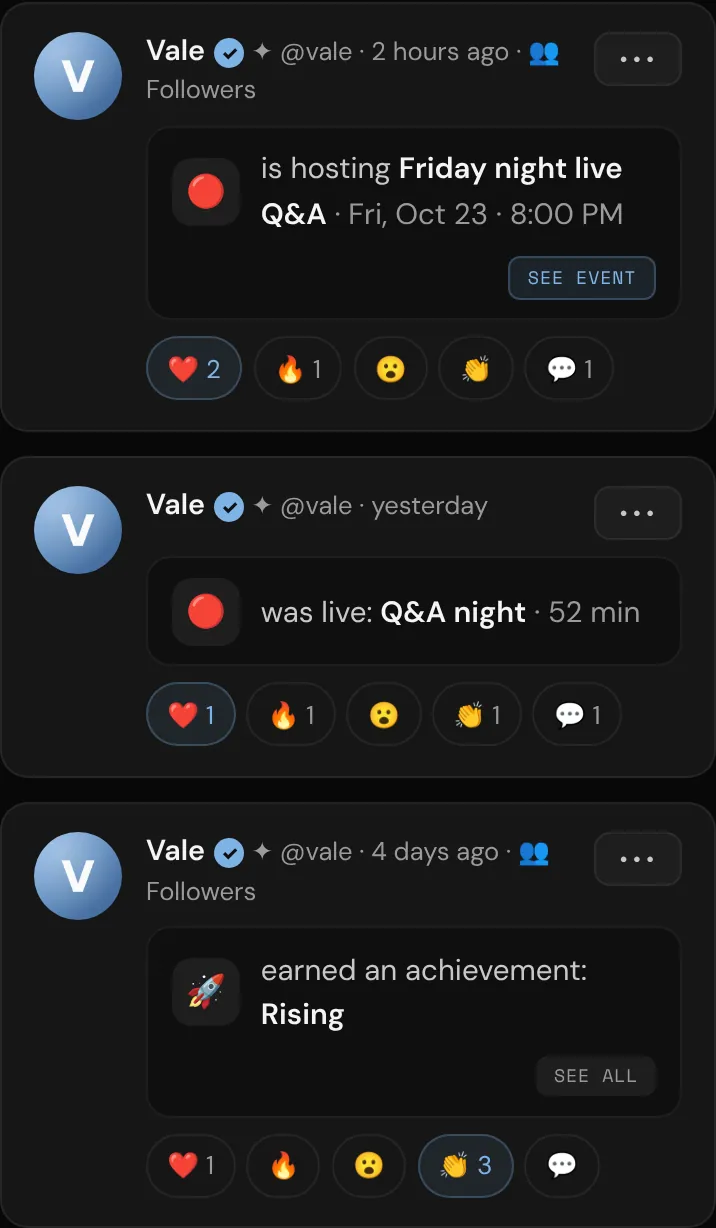
- Achievements you earn: "earned an achievement: Rising", with a See all button. If you earn several at once, only one is posted. See Achievements.
- Lives: "is live" and the title of your live, with a Watch button. When it ends, it changes to "was live" with how long it lasted. See Go live.
- Events you host: "is hosting Ask me anything", with the day and the area, and a See event button. It's posted when you create the event (you can turn off Post it in the feed), goes to the same people who can see the event, and never shows the exact place. If you cancel the event, the post shows Cancelled. See Host an event.
Activity posts never include photos or videos.
Choose who sees your activity
- Open Settings (on your phone: More, then Settings).
- Scroll to Activity in the feed.
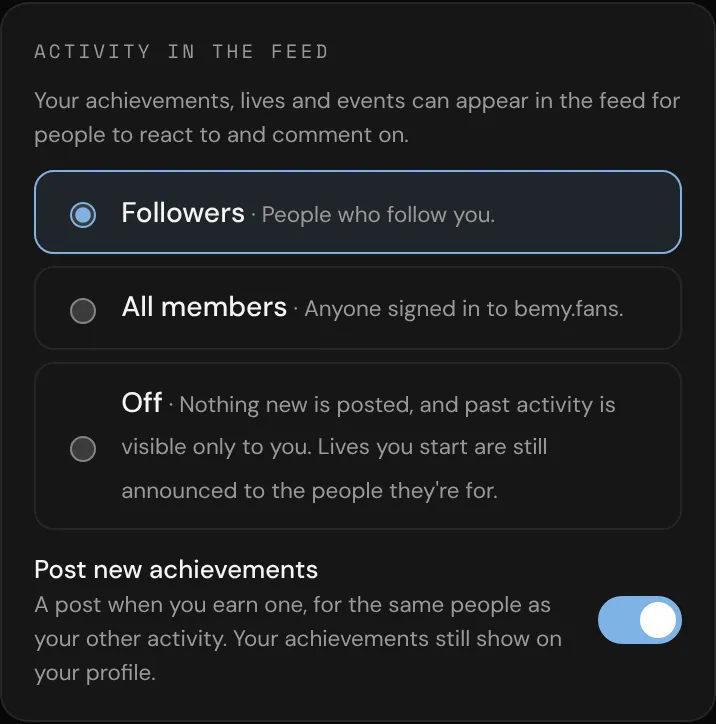
- Pick one:
- Followers (the default): people who follow you.
- All members: anyone signed in to bemy.fans.
- Off: nothing new is posted, and your past activity is visible only to you.
The change applies to your past activity too, not just new posts. It can hide past live and event posts, but it never shows them to more people than the live or the event was for.
Under the same heading, Post new achievements turns achievement posts on or off. Your achievements still show on your profile either way.
Lives work a little differently: when you go live, the post goes to the audience you picked for that live (My followers or Everyone on bemy.fans), even if your activity is Off. Choose Only people with the link when you start a live to keep it out of the feed. See Go live.
Remove one activity post
- Tap ••• on the activity post.
- Tap Remove from feed, then Remove.
It's removed for everyone, along with its comments and reactions. Your achievements, lives and events aren't affected. The same menu has a shortcut to Activity settings.