Events
Events are lives at a set time and meetups in person, like an ask-me-anything live or a meet and greet. Creators host them, and so does bemy.fans. Fans find events from the creators they follow and say they're going.
Find events
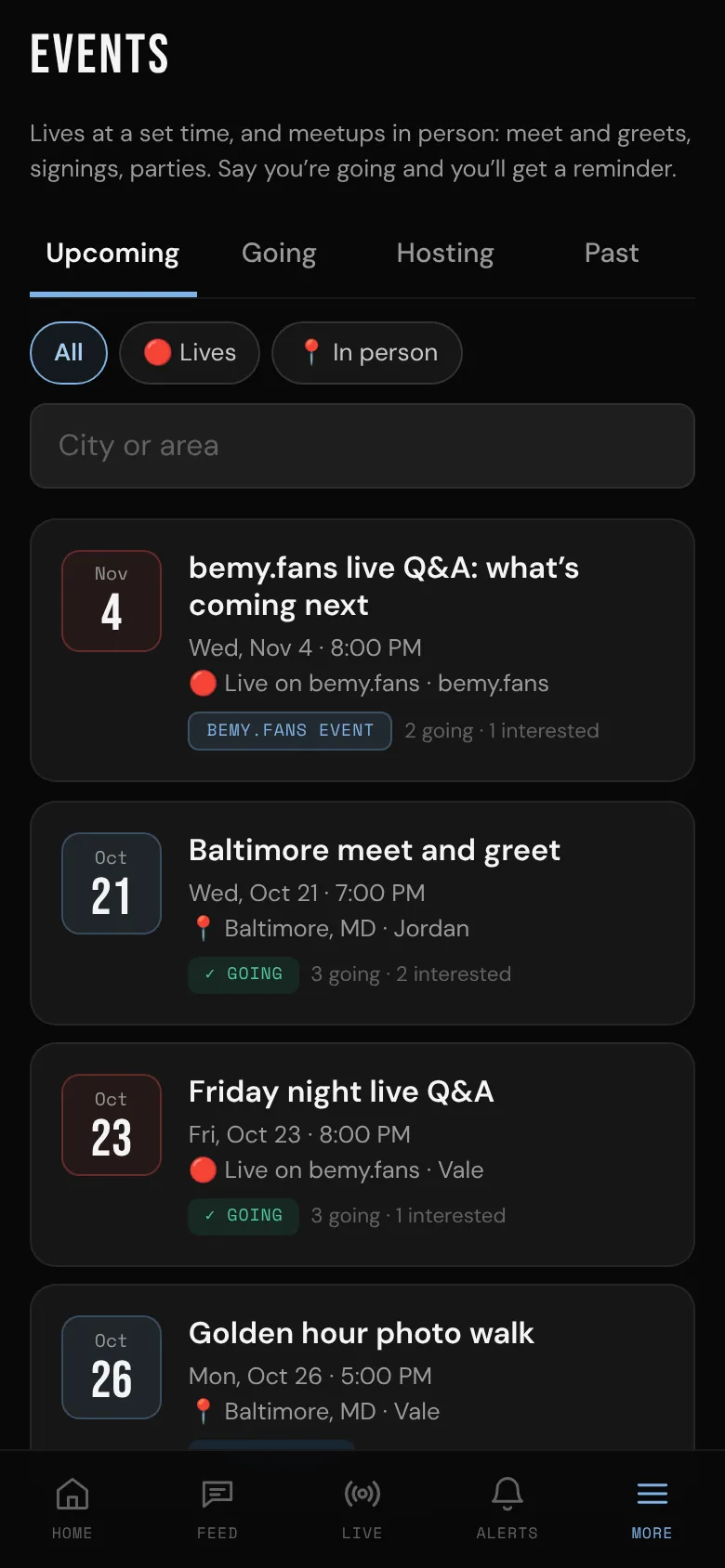
Open Events: on your phone, it's on Home and in More. On a computer, it's in the side menu.
- Upcoming: everything coming up that you can see. bemy.fans events come first, then the rest by date.
- All, 🔴 Lives or 📍 In person narrows the list.
- Type a city in City or area to find meetups near you.
- Going: events you're going to, interested in, or asked to come to, including any that were cancelled.
- Hosting: events you host. Hosting is for creators, so a fan's Hosting tab only shows events they hosted before.
- Past: events that are over.
When a creator you follow hosts an event, you get a notification, and it can show in the feed.
Who can see an event
The host chooses All members or Followers. A followers-only event is only for people who follow the host (or who already answered it). You never see events from people you've blocked, or who have blocked you.
When and where
- Lives show in your own time.
- In person events show in the time where they happen, with its time zone if it's different from yours.
- In person, the area (a city or neighborhood) is shown to everyone who can see the event.
- The exact place (venue and address) is usually only for people going. Until then you see 🔒 The exact place shows once you say you're going. Some hosts show it to everyone.
Going or interested
On the event's page:
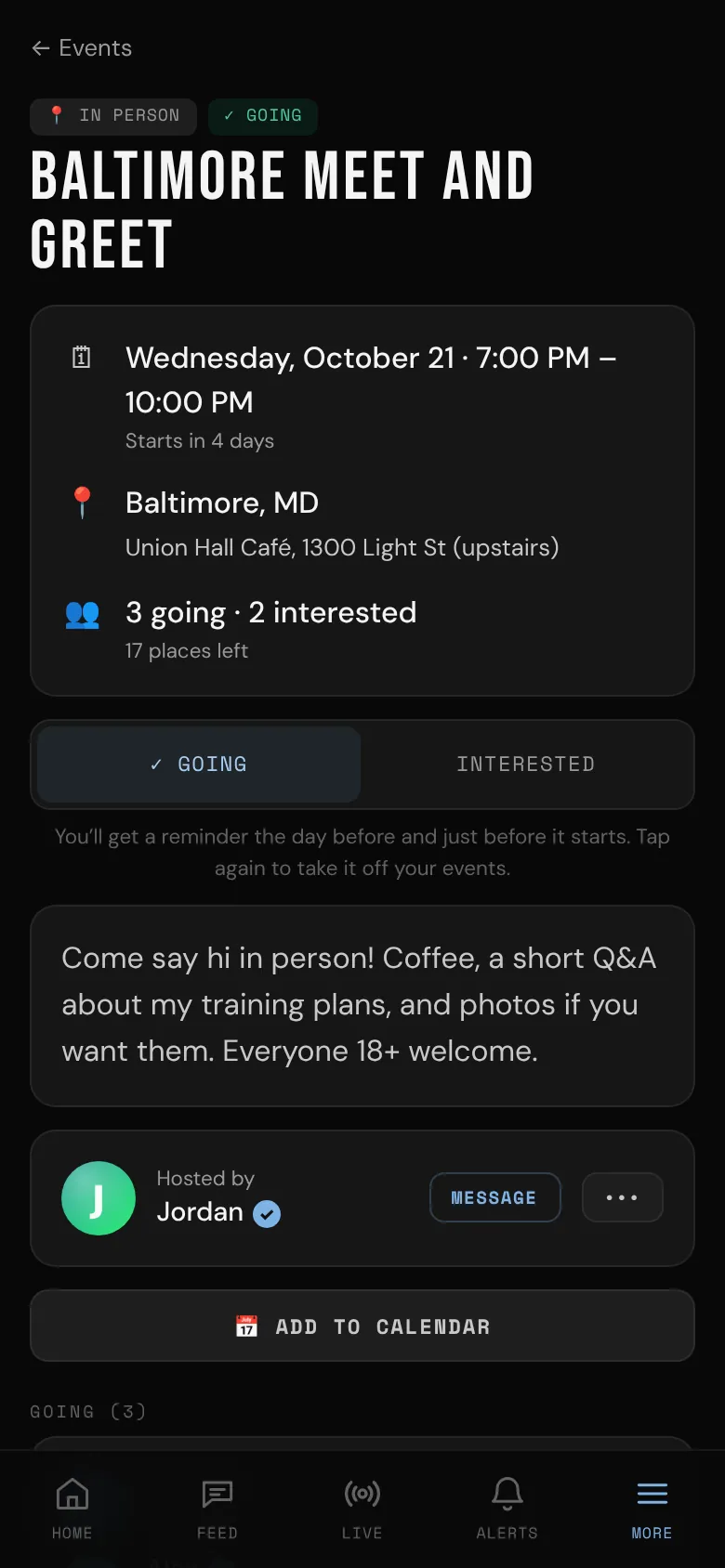
- Tap Going. If the host approves who comes, the button says Ask to come: your request goes to the host, and you see the place once they approve you. You can tap Cancel request while you wait. If you're declined, you can't ask again for that event.
- Tap Interested if you might come. You get the reminders, but not the exact place.
- Tap your answer again to take it off your events.
When there are only so many places, the page shows how many are left, and Full when there are none. Being Interested doesn't take a place.
To ask the host something, tap Message next to their name.
Reminders
Going or interested, you get a reminder the day before and an hour before. If the host changes the time or the place, or cancels, you're told straight away.
The day-before reminder and any change can also come by email. Turn those off in Settings under Email, Events (see Email preferences).
📅 Add to calendar downloads the event for your phone's or computer's calendar.
Who's going
The host sees everyone who answered. People going see who else is going. Everyone else just sees how many.
A live event
When it's time, the host goes live from the event page. You get a notification, and ● Watch the live appears on the event page. See Watch a live.
Event links shared outside bemy.fans
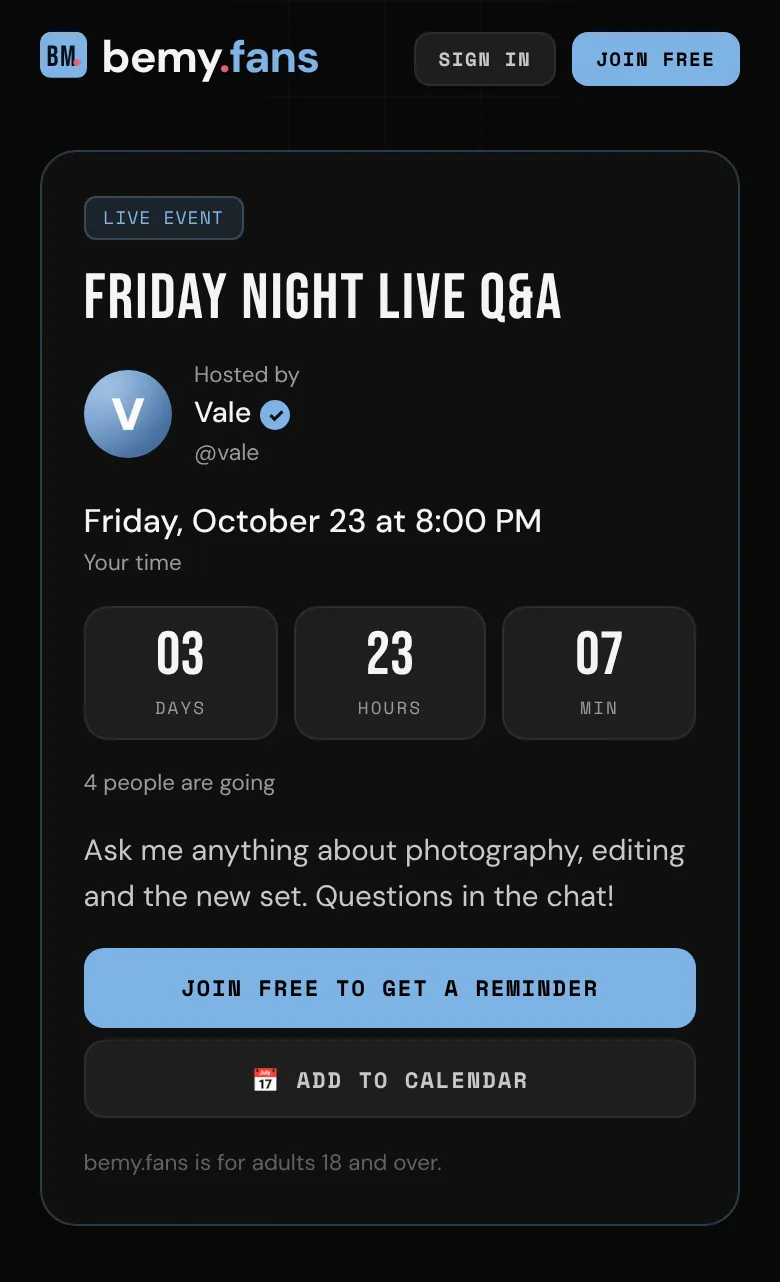
Hosts can share a live event publicly, with a link like bemy.fans/e/friday-ama-k3m9tq that they post on X, Facebook, Bluesky or anywhere else. Anyone can open it, with or without an account: it shows the time in your own time zone, a countdown and 📅 Add to calendar.
- Signed in? Tap Open in bemy.fans to see the event and say you're going.
- No account yet? Tap Join free to get a reminder.
- When the host is live, the page shows ▶ Watch now. The live is open to people without an account too, as with a public link.
Want to bring friends? A shared event's page in bemy.fans has Share it anywhere for you too, with its link, Copy, and buttons for X, Facebook and Bluesky.
Stay safe in person
- Meet somewhere public, and tell someone you trust where you'll be.
- You don't have to share more than you want to. Your name on bemy.fans is enough.
- If an event or its host seems wrong, report it: tap ••• next to the host on the event page, then 🚩 Report. Moderators can take events down.
Creators: to host your own, see Host an event.