Account settings
Open Settings
- Phone: tap More, then Settings (or open your profile from the top of More and tap ⚙ Settings or Edit profile).
- Tablet or computer: click your picture at the top of the side menu, then Settings.
Your profile basics
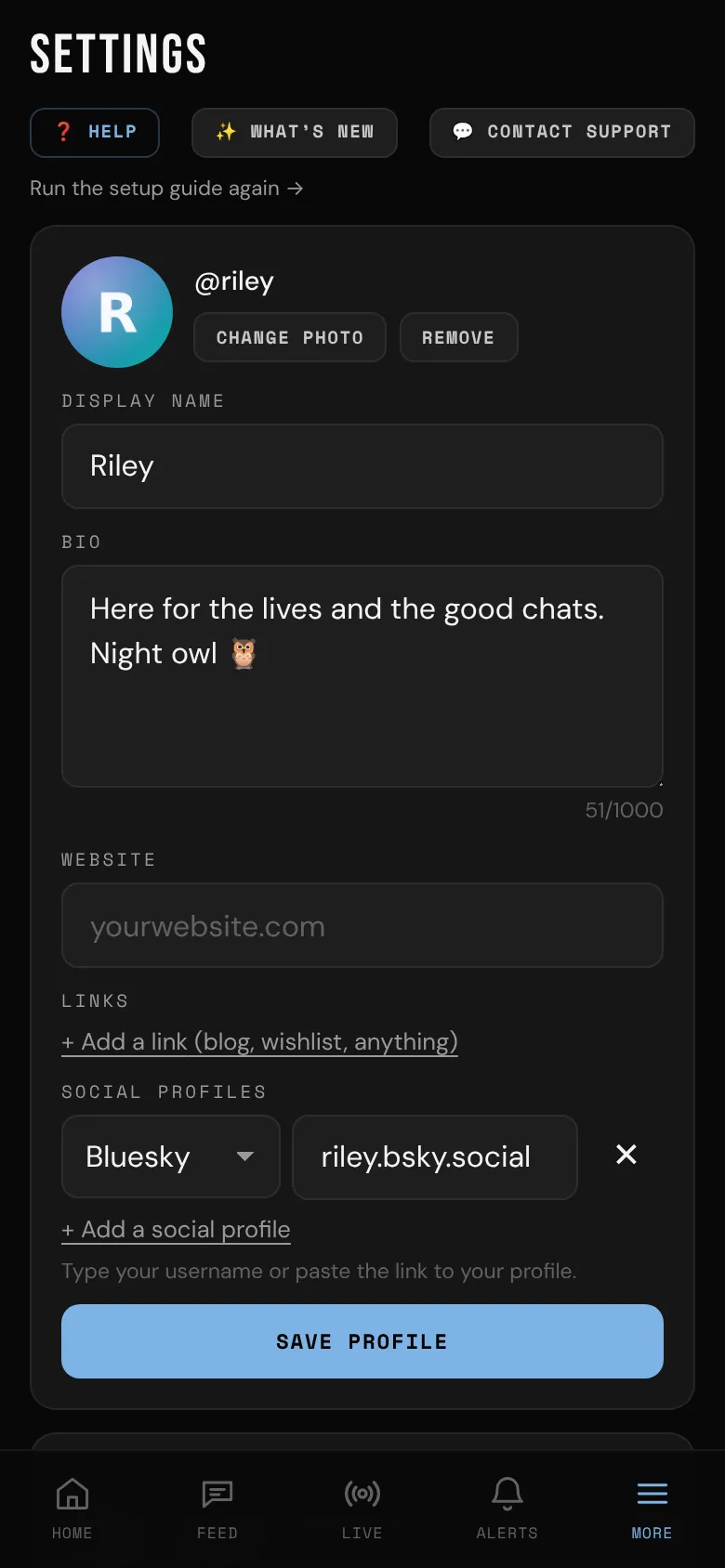
The top of Settings has what other members see first:
- Change photo: pick a photo, crop, zoom or rotate it, then tap Save photo. Profile photos show everywhere, so keep them non-explicit. Remove takes yours off.
- Display name: up to 40 characters. Leave it empty and your @username shows instead.
- Bio: up to 1,000 characters. Creators: say what you make, and when you go live.
- Website, Links and Social profiles.
Tap Save profile when you're done. Your @username can't be changed. For what others see on your profile, and the photo gallery creators have, see Your profile.
Change your password
- In the Account card, type your Current password and a New password (8+ characters).
- Tap Change password.
You stay signed in on this device, and every other device is signed out. bemy.fans emails you to let you know your password changed.
Forgot your password?
- On the sign-in page, tap Forgot password?
- Enter the email on your account and tap Send reset link.
- Within 1 hour, open the email and tap Choose a new password.
- Type your new password twice (8+ characters), then tap Save and sign in.
Resetting signs you out on every other device.
Your email address
Your email shows in the Account card. Until you've confirmed it, you can fix a typo with Wrong address? in the confirm banner. Once it's confirmed, it can't be changed in the app. See Confirm your email.
Your account type
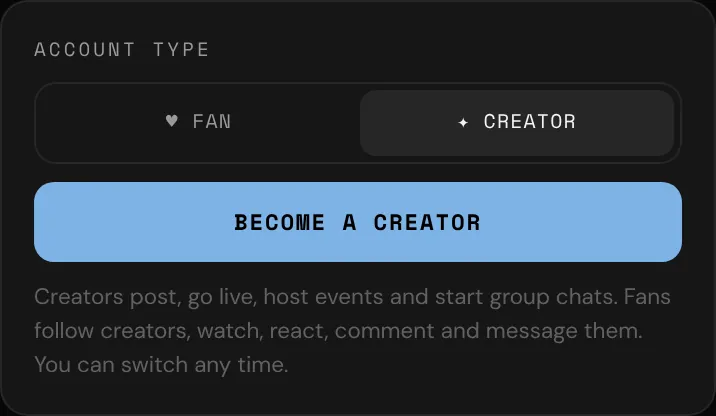
- In the Account type card, tap ♥ Fan or ✦ Creator.
- Tap Switch to a fan account or Become a creator.
It's free and instant, and you can switch back any time. Nothing is deleted when you switch. The card sums it up: "Creators post, go live, host events and start group chats. Fans follow creators, watch, react, comment and message them. You can switch any time."
If you're a creator, tapping ♥ Fan shows a warning first: "As a fan you can't post, go live or host events, and your posts, photos and videos are hidden from everyone until you switch back. Nothing is deleted." See Creator or fan?.
Sign out
Tap Sign out near the bottom of Settings. On a tablet or computer you can also click your picture at the top of the side menu and choose Sign out.
Delete your account
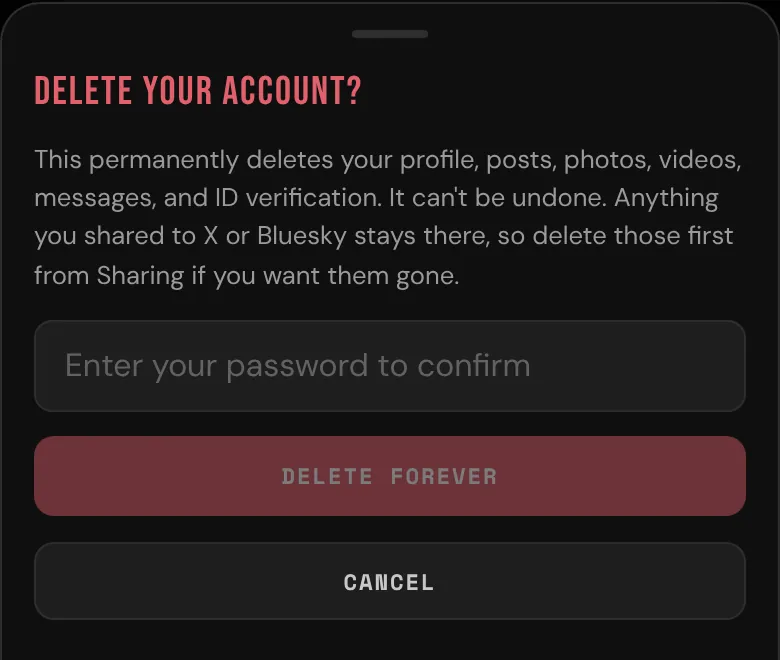
- At the very bottom of Settings, tap Delete account.
- Enter your password.
- Tap Delete forever.
This permanently deletes your profile, posts, photos, videos, messages and ID verification. It can't be undone.
Anything you shared to X or Bluesky stays there. If you want those gone, delete them first in Sharing to X & Bluesky in Settings (it only shows on creator accounts). See Share to X and Bluesky.
There's no way to download a copy of your data at the moment.
More in Settings
- Your plan: see Plans and badges.
- Invite friends: see Invite friends.
- Push notifications and installing the app: see Install the app and turn on notifications.
- Profile & privacy and This device: see Privacy and safety. Creators also have Suggest me to other members there.
- Messages (who can start a chat with you and, for creators, Fans can send me video messages) and Calls (who can call you): see Private messages and Voice and video calls.
- Activity in the feed (creators): see Activity in the feed.
- ID verification: see Verify your ID.
- Sharing to X & Bluesky (creators): see Share to X and Bluesky.
- Email: see Email preferences.
- Blocked: see Block and report.
- Run the setup guide again →: see The setup guide.
- Terms of Service · Acceptable Use · Content and Model Release · Biometric notice (near the bottom, above Sign out): the documents everyone agrees to. See Terms and policies.